
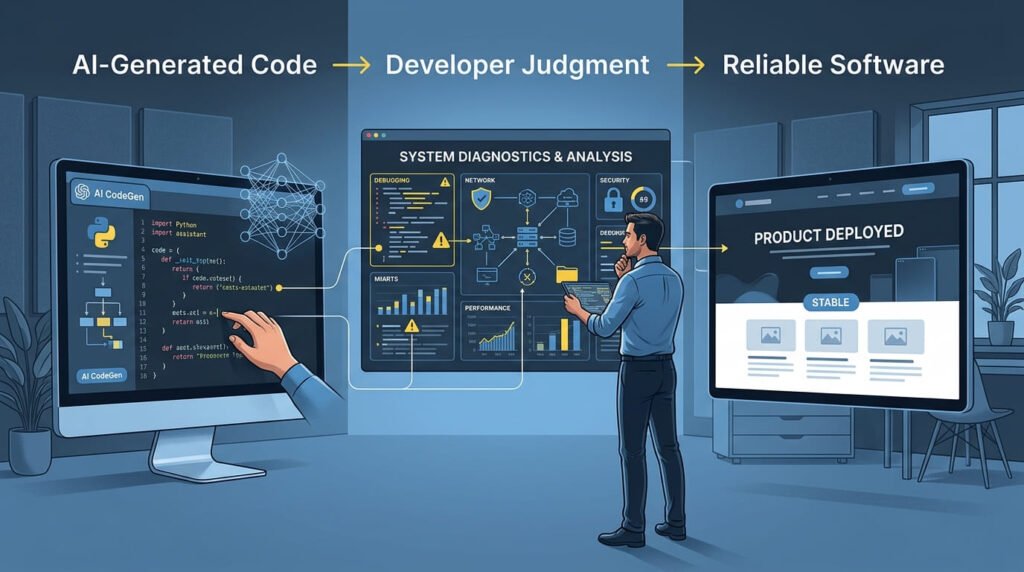
Artificial intelligence is changing how software is developed. Developers can now use AI tools to generate functions, build interface components, explain unfamiliar code, identify potential bugs, and create working prototypes in less time than traditional workflows often require.
This shift raises an important question: If AI can write code, what makes a developer valuable?
The answer is not simply the ability to write code faster. The modern developer must understand requirements, evaluate generated solutions, diagnose technical problems, make architectural decisions, integrate different systems, and ensure that software works reliably in the real world.
AI is changing the process of software development, but it has not eliminated the need for technical understanding. Instead, it is increasing the importance of the skills required to turn generated code into secure, maintainable, and production-ready software.
The developer’s role is evolving from primarily writing code to solving technical problems with code, AI assistance, and sound engineering judgment.
AI Can Generate Code, but Development Is More Than Writing Code
AI coding assistants can generate HTML, CSS, JavaScript, PHP, SQL queries, API examples, and even complete application prototypes. They can also explain programming concepts, suggest debugging approaches, and help developers explore unfamiliar frameworks.
These capabilities can significantly reduce repetitive work and shorten the time required to produce an initial implementation.
However, generating code is not the same as delivering a working software product.
Consider a client who uses AI to generate a website design and its associated code. The design may look polished, the navigation may appear functional, and the page may render correctly in a browser.
But what happens when the website needs to connect to a database, process a form, authenticate users, integrate a payment gateway, or work within an existing WordPress installation?
The developer must determine whether the generated code meets the actual requirements, how it fits into the existing architecture, and what changes are necessary before deployment.
AI can produce a possible implementation. The developer must evaluate whether that implementation is appropriate.
This distinction becomes increasingly important as AI-generated code moves from demonstrations and prototypes into production systems.
Why Technical Problem-Solving Matters More in the AI Era
Technical problem-solving is the process of identifying an issue, understanding its underlying cause, evaluating possible solutions, implementing an appropriate fix, and verifying that the problem has been resolved.
It is a core software engineering skill because real-world development rarely follows a perfectly predictable path.
A website may fail after a plugin update. A JavaScript function may work with sample data but break when an API returns an unexpected response. A database query may return incorrect results. A deployment may expose a configuration problem that was not visible during local development.
When a WordPress website displays a blank screen without an obvious error, for example, developers need to investigate rather than make random changes. This is the kind of situation covered in my guide to systematically diagnosing the WordPress White Screen of Death.
In each situation, the developer needs more than a code snippet. They need to investigate the problem, interpret evidence, understand dependencies, and determine which solution is appropriate.
AI can assist with this process by explaining errors, suggesting possible causes, or proposing alternative implementations. But the developer must still verify those suggestions against the actual system.
A useful problem-solving workflow is:
DIAGNOSE → DEBUG → FIX → OPTIMIZE
- Diagnose: Understand the symptoms, requirements, and possible root causes.
- Debug: Inspect logs, browser-console errors, network requests, database responses, and application behavior.
- Fix: Implement a solution that addresses the underlying issue rather than hiding the symptoms.
- Optimize: Test the result and improve performance, reliability, security, and maintainability where necessary.
This process applies to WordPress websites, PHP applications, JavaScript interfaces, APIs, databases, hosting environments, and larger software systems.
The New Developer Must Know How to Review AI-Generated Code
One of the biggest changes in AI-assisted development is that developers can produce more code without manually typing every line.
That makes code review even more important.
AI-generated code can contain incorrect assumptions, outdated APIs, unnecessary dependencies, inefficient logic, missing error handling, or security weaknesses. It may also solve the immediate problem while introducing a different problem elsewhere.
AI does not remove the need for programming fundamentals. Developers need to understand and review AI-generated code rather than accepting an implementation simply because it appears to work.
For example, an AI assistant might generate a PHP function that appears correct. However, the function could fail to validate input properly, return an unexpected value, or expose data when used in a different context.
A developer should therefore ask:
- Does the code satisfy the actual requirement?
- Do I understand how it works?
- Does it handle invalid input and unexpected conditions?
- Does it follow the application’s architecture and coding conventions?
- Does it introduce security, performance, or compatibility issues?
- Have I tested it beyond the simplest successful scenario?
This does not mean developers must reject AI-generated code or manually rewrite everything. It means they should take responsibility for the code they use.
AI can generate an implementation, but developers remain responsible for evaluating its suitability.
Architecture and Integration: Turning Code Into a Working System
A standalone function can be relatively easy to generate. Integrating it into an existing application is often more complicated.
Real software consists of connected components: front-end interfaces, back-end logic, databases, APIs, authentication systems, third-party services, and deployment environments.
These components must work together consistently.
For example, adding a new feature to a WordPress website may require more than generating PHP and JavaScript. The developer must understand the WordPress file structure, hooks, permissions, database interactions, theme behavior, plugin dependencies, and the website’s existing functionality.
When a production website encounters a PHP fatal error, the priority is to identify the cause and restore functionality safely. My guide explains how to diagnose a PHP fatal error on a live WordPress site.
Database issues require the same investigative approach. Developers must understand not only how queries work, but also how data integrity and database performance affect the complete application. Learn more about how to identify early signs of WordPress database problems.
Similarly, a PHP application may need to integrate with an external API while handling authentication, timeouts, invalid responses, and failed requests.
Technical problem-solving helps developers identify the right integration points and avoid changes that break unrelated functionality.
Architecture also matters. Developers must decide where code belongs, how components communicate, which responsibilities should remain separate, and how the application can be maintained as it grows.
AI can suggest architectural approaches, but those suggestions must be evaluated in the context of the project.
The objective is not merely to make a feature work once. It is to make the feature work reliably within the larger system.
Security Is an Engineering Responsibility
AI-generated software must be reviewed for security before it is deployed.
A feature that appears to work correctly can still expose sensitive information, accept malicious input, or allow unauthorized actions.
Developers need to understand common security concerns, including:
- Input validation, sanitization, and context-appropriate output escaping.
- Authentication and authorization.
- SQL injection and cross-site scripting (XSS).
- Cross-site request forgery (CSRF) where relevant.
- Secure handling of API keys, credentials, and environment variables.
- Safe file uploads and access controls.
- Dependency updates and configuration security.
For WordPress development, this includes using appropriate capability checks, nonces, prepared database queries, and WordPress APIs where applicable.
AI tools can help identify potential vulnerabilities or explain security practices, but generated recommendations must be reviewed and tested. Security cannot be established simply because a tool says the code is safe.
The developer must understand what the application is protecting, which threats are relevant, and how the proposed implementation behaves under unexpected conditions.
Performance, Accessibility, and Quality Still Matter
A website is not production-ready simply because it loads successfully.
It must provide a useful experience for real users across different devices, browsers, network conditions, and accessibility needs.
Developers need to evaluate performance factors such as large images, unnecessary JavaScript, excessive dependencies, inefficient database queries, caching behavior, and slow external API requests.
Installing a caching plugin does not automatically resolve every performance bottleneck. Developers must identify the underlying cause, as explained in this guide to why a WordPress website can remain slow after installing a caching plugin.
They must also consider accessibility: semantic HTML, keyboard navigation, visible focus states, meaningful labels, sufficient contrast, and appropriate use of accessible interface patterns.
Testing should cover more than the expected successful path. It should include invalid inputs, empty states, network failures, browser compatibility, responsive layouts, and interactions between components.
AI can help generate tests, explain performance issues, and suggest improvements. However, real testing and measurement are necessary to determine whether the changes actually improve the application.
This is where technical understanding turns an apparently functional implementation into a more reliable product.
Technical SEO Is Also Part of Building a Better Website
For developers working on websites, technical SEO is another area where problem-solving makes a practical difference.
A visually attractive website may still have problems that prevent search engines from discovering, crawling, understanding, or appropriately indexing its pages.
Examples include broken internal links, incorrect canonical URLs, unintended noindex directives, poor heading structure, inaccessible content, slow page loading, and incorrect structured data.
Developers do not necessarily need to become full-time SEO specialists. However, they should understand how implementation decisions affect website discoverability and user experience.
Important considerations include:
- Crawlable links and a logical URL structure.
- Meaningful page titles, headings, and metadata.
- Correct canonical URLs and indexability settings.
- Responsive design and Core Web Vitals.
- Appropriate XML sitemaps and robots directives.
- Accurate schema markup and structured data.
- Useful content that answers the visitor’s actual question.
These practices help connect development quality with search performance.
For example, a developer implementing a product page should consider not only whether the product information displays correctly, but also whether the page has a clear structure, appropriate metadata, accessible content, and accurate Product schema where applicable.
Structured data can explicitly describe entities and relationships on a webpage. Learn more about how structured data helps AI understand your website and why accurate markup should complement useful content and sound technical SEO.
Technical SEO is not a replacement for useful content or broader ranking factors. It is part of building a website that both people and search engines can navigate and interpret.
What About AI SEO and Generative Engine Optimization?
As AI-powered search experiences evolve, developers increasingly need to consider how websites present information to both traditional search engines and AI-assisted discovery systems.
Generative Engine Optimization (GEO) focuses on improving the discoverability and usefulness of content in generative search experiences. It overlaps with established SEO practices but also emphasizes clear information, reliable sources, understandable entities, and content that directly addresses user questions.
Developers can support these goals through sound technical implementation.
For example, they can ensure that important content is accessible, internal links are meaningful, pages have clear semantic structure, and structured data accurately describes the information presented to visitors.
Schema markup can help communicate entities and relationships, such as the connection between an article, its author, and its publisher. However, structured data does not guarantee that an AI system will cite a page or include it in an answer.
AI search visibility also depends on content usefulness, accessibility, source credibility, and the way individual search systems retrieve and select information.
Clear content structure and meaningful context matter alongside technical implementation. Understanding how AI understands website content can help developers and SEO professionals make information easier to interpret without relying on keyword repetition alone.
Developers and SEO professionals should therefore work together to address both technical and content-related requirements.
The objective is not to optimize a website for a particular AI buzzword. It is to make the website accessible, understandable, reliable, and useful.
The Developer’s Role Is Expanding Beyond Implementation
As AI reduces the time required for certain coding tasks, developers can spend more attention on decisions that require context and judgment.
The modern development workflow may involve AI-generated drafts, human review, architecture decisions, implementation, testing, and deployment.
The developer’s contribution includes understanding what should be built, evaluating how it should be built, and determining whether the final result meets the required standards.
This shift does not mean every developer must become an architect, cybersecurity specialist, performance engineer, and SEO expert overnight.
It means developers should develop a broader understanding of how their work affects the complete product and learn to collaborate with specialists when necessary.
The value comes from combining programming knowledge with practical judgment, not from claiming expertise in every technical discipline.
How Developers Can Adapt to This Change
Developers can prepare for the changing role by strengthening the fundamentals that help them work effectively with AI and solve problems independently.
1. Understand the Code You Use
Learn how variables, functions, data structures, control flow, databases, APIs, and application architecture work. You do not need to type every line manually, but you should be able to explain and debug the code you deliver.
2. Improve Debugging Skills
Practice reading error messages, inspecting browser-console output, checking server logs, and reproducing issues systematically. For JavaScript development, learn how to read JavaScript errors in the browser console to identify where a failure occurs and investigate its possible causes instead of guessing at a fix.
3. Use AI as a Development Assistant
Use AI to explore solutions, generate first drafts, explain unfamiliar code, and suggest tests. Verify its recommendations instead of treating its output as authoritative.
4. Learn Integration and Deployment
Understand how front-end code, back-end services, databases, APIs, hosting, and version control work together. Production issues often arise at the boundaries between components.
5. Build Security and Quality Into Your Workflow
Review inputs, permissions, error handling, dependencies, performance, accessibility, and testing requirements before deployment.
6. Understand the Website’s Purpose
Technical implementation should serve a real requirement. Learn to ask what the feature needs to accomplish, who will use it, what can go wrong, and how success will be measured.
7. Keep Learning Through Real Problems
Build projects, investigate bugs, maintain existing applications, and document what you learn. Practical experience develops judgment that cannot be replaced by copying generated solutions.
A Practical Development Workflow in the AI Era
AI-assisted development works best when code generation is part of a controlled engineering process.
A practical workflow looks like this:
Understand Requirements → Plan the Solution → Use AI Where Helpful → Review the Code → Integrate Components → Test and Debug → Check Security and Performance → Validate SEO and Accessibility → Deploy and Monitor
Not every task requires every step at the same level. A small script and a payment-processing system have different risk profiles.
The principle remains the same: use an appropriate process for the complexity and consequences of the work.
AI can accelerate implementation, while the developer ensures that the solution is suitable for its intended purpose.
Frequently Asked Questions
Will AI replace software developers?
AI is automating and accelerating parts of software development, but it does not eliminate the need for understanding requirements, reviewing code, integrating systems, managing security, testing behavior, and maintaining applications. The impact will vary by role, organization, and task. Developers who learn to use AI effectively while strengthening their engineering judgment will be better prepared for changing expectations.
What is a technical problem solver in software development?
A technical problem solver investigates software issues, identifies root causes, evaluates possible solutions, and verifies that the chosen fix works reliably. The work can involve debugging, architecture, integration, performance, security, hosting, or technical SEO.
Do developers still need programming fundamentals when using AI?
Yes. Programming fundamentals help developers understand generated code, recognize incorrect assumptions, debug unexpected behavior, compare alternative solutions, and avoid introducing unnecessary complexity. AI can assist with implementation, but fundamentals help developers evaluate the result.
How should developers use AI coding assistants?
Developers can use AI to generate drafts, explain unfamiliar concepts, suggest debugging strategies, and create test cases. They should review generated code for correctness, security, maintainability, compatibility, and alignment with project requirements before using it in production.
Why is debugging important in AI-assisted development?
Generated code can fail because of incorrect assumptions, missing dependencies, unexpected inputs, or incompatibility with an existing system. Debugging helps developers find the underlying cause rather than repeatedly applying fixes that only address visible symptoms.
Does technical SEO matter to developers?
Yes, particularly for website development. Crawlability, semantic structure, metadata, internal linking, performance, accessibility, and accurate structured data can influence how effectively users and search engines access and interpret a website. Developers and SEO specialists can collaborate to address these requirements.
Developer Verdict: AI Accelerates Coding. Problem-Solving Delivers Software.
The developer's role is changing, but the purpose of development remains the same: solve real problems and build software that works.
AI can generate code, suggest fixes, and accelerate repetitive tasks. Developers still need to understand requirements, evaluate solutions, manage complexity, and verify that the finished product is secure, maintainable, and reliable.
This is especially important when moving from prototypes to production systems, where integration, edge cases, performance, and long-term maintenance matter.
The strongest approach is neither to reject AI nor to trust it blindly. It is to combine AI assistance with programming fundamentals, technical judgment, and disciplined engineering practices.
The future belongs not simply to developers who write code faster, but to developers who can use the right tools to solve the right problems and deliver reliable results.
About the Author
Mirza Hadi Baig is a Full-Stack WordPress Developer, Technical Problem Solver, and AI SEO & GEO Strategist with 5+ years of hands-on web development experience. His work focuses on diagnosing complex technical issues and developing practical solutions across WordPress and WooCommerce, PHP, JavaScript, plugin conflicts, website performance, Core Web Vitals, hosting and server environments, migrations, security recovery, technical SEO, and structured data.
His approach is straightforward: Diagnose → Debug → Fix → Optimize. Rather than focusing only on writing code, he emphasizes understanding root causes, evaluating possible solutions, and improving the reliability and performance of the complete website or application.
As a product builder, Hadi develops practical tools to solve real-world web and SEO problems, including Schema Genie Pro and other tools for structured data, AI-content discovery, and website analysis. He is also an AI learner who believes that AI should improve developer productivity while programming fundamentals and engineering judgment remain essential.
Through his technical articles, he shares practical lessons on web development, debugging, technical SEO, AI-assisted coding, and building more reliable digital products.
Explore more at DCX Herald.