The launch day feeling is a good one.
Months of planning, back-and-forth on designs, content revisions, testing, and final approvals — and now the site is live. The domain resolves. The pages load. The contact form works. Everything looks exactly as it should.
It is tempting, at that point, to consider the website finished. A completed project. Something that exists now and will continue to exist, doing its job quietly in the background while the business moves on to other priorities.
That assumption is one of the most expensive ones a business owner can make about their website.
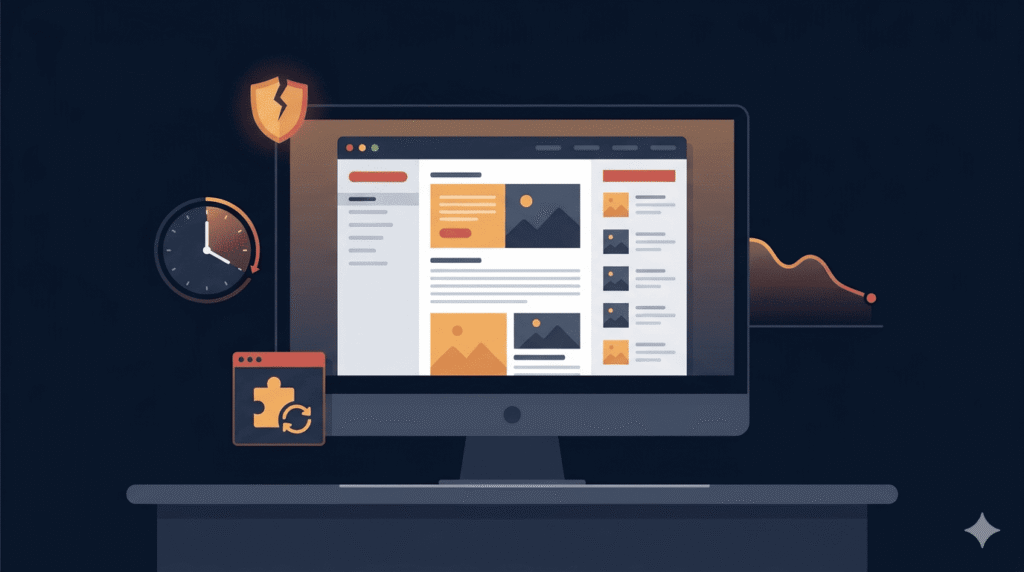
A website is not a printed brochure. It is not a sign on a wall that stays the same until someone decides to change it. It is a live, connected, software-dependent system running on infrastructure that changes, interacts with other software that updates, and exists in a security environment that evolves constantly. The moment it launches, the clock starts on its first maintenance need — whether the owner is paying attention or not.
What “Done” Actually Means in Web Development
When a web project reaches launch, what has actually been completed is the build. The design has been implemented, the functionality has been configured, the content has been loaded, and the site has been tested against a set of requirements that existed at a specific point in time.
What has not been completed — because it cannot be completed — is the ongoing work of keeping that site secure, functional, compatible, and performing well as the environment around it continues to change.
WordPress, which powers a significant portion of the web, releases core updates regularly. The plugins installed on a WordPress site — each one maintained by a separate developer or team — release their own updates on their own schedules. The PHP version running on the hosting server has a support lifecycle. The theme has its own update cadence. The hosting environment itself changes over time.
None of these moving parts pause because the site has launched. They continue moving. And a site that is not actively maintained gradually falls out of step with all of them — quietly, incrementally, and without any obvious warning until something breaks or something gets compromised.
What Actually Happens to a Neglected Website
This is not a theoretical risk. It is a documented pattern that plays out on thousands of websites every month. Understanding what neglect actually looks like in practice is the clearest argument for why maintenance is not optional.
Security vulnerabilities accumulate silently.
WordPress plugins are among the most common entry points for website compromises. When a security vulnerability is discovered in a plugin — and they are discovered regularly — the plugin developer releases a patch. Sites running the updated version are protected. Sites running the old version remain exposed, often without any visible sign that anything is wrong. The vulnerability sits there, available to automated scanning tools that bad actors run continuously across the internet, until it is either patched or exploited.
A neglected WordPress site running six to ten outdated plugins is not secure. It is a site waiting for the right automated scan to find it. And when that happens, the consequences range from defacement and blacklisting to data theft, spam injection, and complete site takeover — all of which are significantly more damaging and expensive to recover from than the maintenance that would have prevented them.
Compatibility breaks without warning.
PHP, the language WordPress runs on, releases new versions and eventually retires old ones. Hosting providers update their server environments. WordPress core updates its own internal APIs. When any of these change, plugins or themes built against older versions can break — sometimes silently, sometimes catastrophically. A checkout process that stops working. An image gallery that no longer renders. A contact form that accepts submissions but never sends them anywhere.
These breaks do not announce themselves. They are discovered by customers trying to use the site, by someone checking analytics and noticing a conversion rate that has dropped to zero, or occasionally by the business owner who visits their own site and finds something obviously wrong. By that point, the damage — in lost transactions, lost leads, or simply a poor impression — has already accumulated.
Performance degrades over time.
A WordPress database grows with every post, page, revision, form submission, and plugin log entry. Without periodic cleaning and optimisation, query times increase, page load speeds slow, and the user experience deteriorates gradually. The site that loaded in 1.8 seconds at launch is loading in 4.2 seconds eighteen months later — not because anything visibly broke, but because nothing was maintained.
Page speed has direct business implications. It affects search engine rankings, bounce rates, and conversion rates. A site that has drifted into poor performance is actively costing the business in ways that are difficult to attribute without looking closely.
Backups without testing are not backups.
Many hosting environments run automated backups by default. Many business owners assume these backups are reliable without ever verifying them. A backup that has never been tested is a backup of unknown value. Regular maintenance includes verifying that backups are completing successfully, that restore points are current, and that recovery is actually possible before it is urgently needed — not during the crisis that reveals it was never working properly.
The Real Cost Comparison: Maintenance vs Emergency Repair
The most common reason business owners deprioritise website maintenance is cost. A monthly or quarterly maintenance arrangement feels like an ongoing expense for something that appears to be working fine. It is easy to defer.
The comparison that reframes this decision is not maintenance cost versus nothing. It is maintenance cost versus emergency repair cost.
A routine maintenance arrangement — covering updates, security monitoring, performance checks, backup verification, and uptime monitoring — typically represents a modest, predictable monthly investment. It is budgetable. It is preventive. It keeps the site in a known, stable state.
An emergency recovery scenario — a compromised site that needs to be cleaned, restored, and secured; a broken checkout discovered on a Friday afternoon before a weekend promotion; a plugin conflict that has been silently corrupting data for two weeks — carries a completely different cost profile. Emergency developer time is billed at premium rates. Recovery work is time-intensive and unpredictable. Downtime during a critical business period has a direct revenue cost that maintenance cannot cause but neglect absolutely can.
Beyond the direct financial comparison, there is a reputational cost that does not appear on any invoice. A customer who visits a site that is loading slowly, showing broken elements, or — worst case — flagged by their browser as a security risk does not send a support ticket. They leave. They form an impression. And that impression is associated with the business, not with the hosting environment or the plugin that caused it.
What Website Maintenance Actually Covers
Part of the reason maintenance feels abstract to business owners is that it is invisible when it is working. Nothing breaks, so nothing seems to be happening. Understanding what maintenance actually involves makes its value more concrete.
Core, theme, and plugin updates.
Applied carefully, tested against the live site’s functionality, and verified post-update. Not clicked through automatically without review — done deliberately, with attention to compatibility and change logs.
Security monitoring and hardening.
Active monitoring for known vulnerabilities, login attempt patterns, file integrity changes, and malware indicators. Many security incidents are detectable before they become serious if someone is actually watching.
Performance monitoring and optimisation.
Regular checks on page load times, database size, caching configuration, and image optimisation. Catching performance drift early is significantly cheaper than recovering from it after it has affected search rankings.
Backup verification.
Confirming that automated backups are completing successfully, that backup files are accessible, and that a restore has been tested within a reasonable timeframe. This is the item most commonly skipped and most critically needed when something goes wrong.
Uptime monitoring.
Knowing immediately when a site goes down — rather than finding out hours later from a customer — means faster response and less total downtime. Most uptime monitoring tools notify within minutes of a site becoming unreachable.
Content and functionality checks.
Periodic review of forms, checkout processes, key landing pages, and any integration points — payment gateways, email services, third-party APIs — to confirm they are functioning as expected. These integrations can break quietly when the third-party service updates on their end.
The Maintenance Conversation Every Developer Should Have
For developers reading this alongside their clients: the post-launch maintenance conversation is not an upsell. It is a professional responsibility.
Handing over a completed website without discussing ongoing maintenance is similar to delivering a vehicle without mentioning that it will need oil changes, tyre checks, and eventually brake work. The vehicle works on delivery day. What happens after that depends entirely on whether the owner treats it as a maintained asset or a finished product.
The most effective way to have this conversation is before launch, not after. A maintenance plan outlined during the project proposal stage — covering what it includes, what it costs, and what the alternatives look like — gives clients the information they need to make a real decision. Most clients, when the risks are explained clearly and the cost comparison is made honestly, understand the value immediately.
What they struggle with is making that decision when no one has explained it to them.
Treating Your Website as an Asset, Not a Deliverable
The mental shift that changes how business owners relate to website maintenance is simple but significant: a website is not a deliverable. It is an asset.
A business asset requires ongoing investment to retain its value. Equipment gets serviced. Premises get maintained. Staff get trained. The expectation that a website — a system running on software, connected to the internet, dependent on third-party infrastructure — should simply continue performing indefinitely without any attention is not a reasonable one. It just feels reasonable because the work is invisible and the consequences are gradual.
The websites that continue performing well two, three, and five years after launch are not the ones that were built better. They are the ones that were maintained consistently. The ones that were not — that were launched and left — tend to accumulate problems quietly until something forces attention: a security incident, a broken feature discovered at the wrong moment, or a performance issue that has been quietly costing search visibility for months.
Maintenance is not the cost of keeping a website running. It is the investment in keeping it working — securely, reliably, and at the standard the business actually needs.
The launch is where the website begins. Maintenance is what keeps it worth having.
What’s Next in This Series: Smart Web Decisions
This article is part of an ongoing series published every Monday and Thursday, focused on helping businesses, founders, and website owners make smarter web decisions before problems become expensive.
Many website issues begin long before development starts — during planning, hiring, budgeting, hosting decisions, or unclear project expectations. That’s why this series focuses on the practical side of web development decisions, not just the technical side.
In the coming articles, we’ll cover topics like:
- Questions to ask before starting an eCommerce website project
- Smart hiring decisions for small vs large business websites
- Domain and hosting mistakes that create long-term problems
- Why some websites become difficult to maintain and scale
- Common client mistakes developers notice immediately
- Website planning decisions that affect future performance and stability
The goal is simple: to help you approach web development with more clarity, better planning, and fewer costly mistakes. Whether you’re hiring a developer, managing a WordPress site, or planning a long-term digital project, each article in this series is designed to be practical, experience-driven, and easy to apply in real-world situations.
References & Further Reading
For deeper reading on the ideas covered in this article, these resources are worth your time:
- WordPress.org on Keeping WordPress Updated and Secure
- Wordfence on Why Outdated Plugins Are the Leading Cause of WordPress Compromises
- Kinsta on WordPress Maintenance — What It Includes and Why It Matters
- WP Engine on the True Cost of Website Downtime for Small Businesses
- Google on Page Experience and Core Web Vitals as Ranking Signals
- UpdraftPlus on Why Backup Testing Is as Important as Backup Creation
- Sucuri on Website Malware Trends and How Compromises Happen