
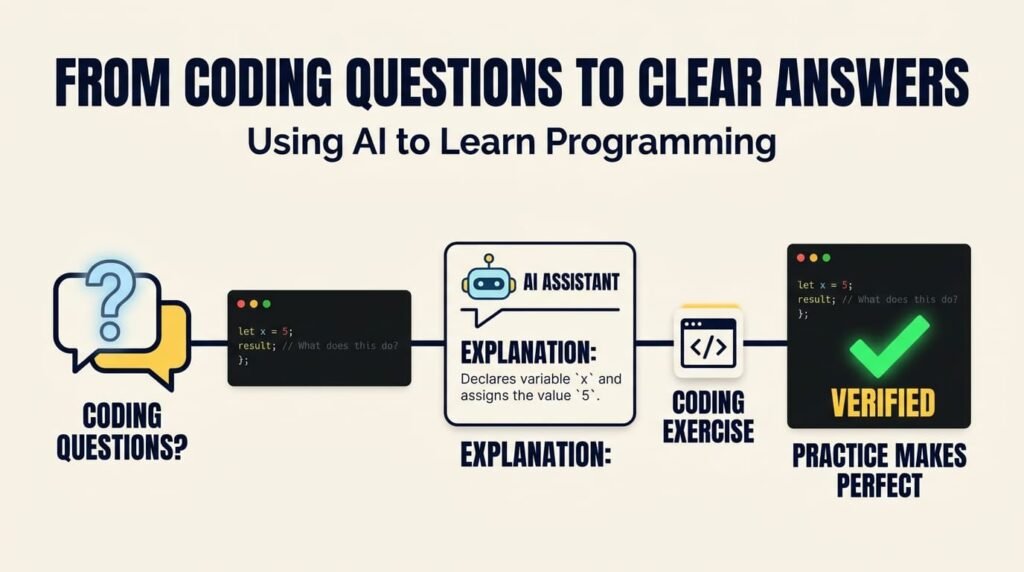
Learning programming involves more than memorizing syntax or copying code examples. Developers need to understand concepts, recognize patterns, solve problems, investigate errors, and learn how different parts of a software system work together.
Artificial intelligence (AI) is changing how people approach this learning process. Instead of searching through multiple tutorials to understand a programming concept, learners can ask questions in plain language, request alternative explanations, explore examples, and receive interactive guidance. They can also use AI to practise coding, understand error messages, and investigate unfamiliar technologies.
However, receiving an answer is not the same as understanding it. AI can generate incorrect explanations, suggest outdated techniques, or provide code that works in one situation but fails in another.
The most effective way to learn programming with AI is to use it as an interactive learning assistant—not as a replacement for independent thinking, documentation, and practical coding.
1. AI Makes Programming Questions Easier to Explore
Every programmer encounters questions while learning. A beginner might struggle to understand variables and loops. Someone learning JavaScript may find asynchronous programming confusing, while a WordPress developer may need to understand hooks, filters, or REST API requests.
Traditionally, learners have relied on tutorials, books, forums, videos, and official documentation. AI adds another way to explore these topics by allowing learners to ask follow-up questions and request explanations that match their current understanding.
For example, instead of asking only, “What is a PHP array?”, you could ask:
- Explain PHP arrays in simple language.
- Show the difference between indexed and associative arrays.
- Provide a practical example using website data.
- Explain what happens when an array key does not exist.
- Give me three exercises to practise arrays without showing the solutions immediately.
This creates a more interactive learning experience. You can move from a basic definition to examples, practical applications, and independent exercises.
The important advantage is not that AI always provides the best explanation. It is that you can ask questions, identify gaps in your understanding, and explore those gaps more directly.
For foundational concepts, it is still useful to consult the official PHP documentation or MDN Web Docs, depending on the language or technology you are learning.
2. Ask Better Questions to Get Better Explanations
The quality of an AI-generated explanation often depends on how clearly you describe what you want to learn.
A broad request such as “Teach me JavaScript” gives the AI little information about your experience, learning goals, or preferred level of detail. The result may be too general, too advanced, or too large to practise effectively.
A more focused question gives the assistant a clear direction.
A less effective prompt:
“Explain JavaScript functions.”
A more useful prompt:
“Explain JavaScript functions for a beginner who understands variables and conditional statements. Show a simple example, explain each line, demonstrate parameters and return values, and finish with three practice questions. Do not provide the answers until I attempt them.”
The second prompt establishes the learner’s current knowledge, the specific topic, the desired explanation, and the practice activity.
When asking AI programming questions, include four elements:
- Context: Explain your current skill level and what you already understand.
- Specific topic: Identify the programming concept or problem you want to explore.
- Explanation style: Request simple language, a code example, or a step-by-step explanation.
- Practice: Ask for exercises or questions that help you test your understanding.
You can also ask the AI to explain one concept at a time rather than introducing several advanced topics at once.
The objective is to turn a vague question into a focused learning activity.
3. Learn the Logic Behind the Code, Not Just the Syntax
Programming is more than remembering keywords. Developers must understand how data moves through a program, how conditions influence execution, and why one implementation works while another fails.
AI can help explain these relationships when learners ask questions about the reasoning behind a solution.
Consider this JavaScript example:
function calculateTotal(price, quantity) {
    return price * quantity;
}

const total = calculateTotal(25, 3);

console.log(total); // 75
A learner could ask the AI to explain what the function does, how the arguments are passed, why it returns a value, and how the result is stored in total.
The learner could then explore additional questions:
- What happens if the quantity is zero?
- What if the price is provided as a string?
- How could the function handle invalid input?
- How would I test this function?
- What would change if the function also needed to calculate tax?
These questions encourage deeper understanding. Instead of memorizing a working example, the learner begins to understand its behavior and limitations.
This becomes especially important when moving from simple exercises to real projects, where input validation, error handling, dependencies, and unexpected conditions matter.
AI can explain the logic, but learners should also trace the execution, modify the code, run it, and confirm that their understanding matches the actual behavior.
For a related discussion, read Should Developers Learn Coding Fundamentals Before AI Coding Tools?. Understanding the fundamentals helps developers evaluate AI-generated code instead of accepting it without question.
4. Use AI to Understand Programming Errors
Errors are an unavoidable part of programming. A missing bracket, undefined variable, incorrect data type, or unexpected API response can interrupt progress, particularly when a learner does not yet know how to investigate the cause.
AI can make error messages easier to understand by explaining technical terminology, identifying possible causes, and suggesting debugging steps.
However, the first suggested fix is not necessarily the correct one. An error can have multiple causes, and a proposed solution may not fit the surrounding code or the software environment.
A more effective debugging process is to:
- Read the complete error message.
- Identify the relevant code and the point where the error occurs.
- Ask AI to explain the error and suggest possible causes.
- Compare those suggestions with the actual code.
- Make one targeted change at a time.
- Run the program again and verify the result.
For example, if a JavaScript program reports that a property cannot be accessed on an undefined value, ask the AI to explain what undefined means, how the value might have become undefined, and how to investigate the data flow.
This is more useful than requesting a replacement code block without understanding the original problem.
You should also learn to use browser developer tools, console output, server logs, and official documentation. The MDN Web Docs JavaScript guide is a useful reference for understanding JavaScript behavior and language fundamentals.
AI can help you investigate an error, but the goal is to become better at identifying and solving problems independently.
5. Turn AI Into a Programming Practice Partner
Reading explanations introduces concepts, but practice helps learners determine whether they can apply those concepts independently.
AI can generate exercises that match your current skill level and gradually increase their difficulty.
For example, after learning loops in PHP, ask for an exercise that requires displaying items from an array. Complete the task yourself, then request feedback on your approach, variable usage, and possible edge cases.
A productive practice session follows this sequence:
Learn → Practise → Review → Improve → Repeat
- Learn: Ask for an explanation and one simple example.
- Practise: Solve a related problem without copying the example.
- Review: Share your attempt and ask for constructive feedback.
- Improve: Correct mistakes and compare alternative approaches.
- Repeat: Try a slightly more challenging problem.
To make the process more effective, ask AI to act as a tutor instead of immediately supplying complete solutions.
For example, use this prompt:
“Give me a beginner-level PHP exercise involving arrays. Do not provide the solution yet. If I get stuck, give me one hint at a time. After I submit my attempt, explain my mistakes and suggest improvements.”
This encourages active problem-solving. You remain responsible for writing and understanding the code, while AI provides guidance when needed.
You can also ask for quizzes, request explanations of incorrect answers, or practise several variations of the same problem to check whether you understand the underlying concept.
6. Learn Alongside Official Documentation
AI-generated answers can be helpful, but they are not a replacement for official documentation or direct verification.
Programming languages and frameworks evolve. Functions change, dependencies introduce breaking changes, and examples written for one version may not work in another. An AI assistant can provide outdated syntax, misunderstand a framework feature, or suggest a function that does not exist.
A reliable learning approach combines AI explanations with authoritative resources.
Here are several useful references:
- MDN Web Docs — HTML, CSS, JavaScript, and web platform technologies.
- PHP Manual — PHP language features, functions, and examples.
- WordPress Developer Resources — WordPress APIs, themes, plugins, hooks, and development practices.
- Git Documentation — Version control concepts and Git commands.
When AI provides an unfamiliar function or technique, ask for the official documentation reference. Check that the described behavior matches the documentation for the version you are using.
Then run a small example in an appropriate development environment.
This helps distinguish a plausible explanation from one that actually works. It is particularly important when learning frameworks, building APIs, working with databases, or implementing security-sensitive features.
7. Avoid Copying AI Answers Without Understanding Them
One of the biggest risks of AI-assisted programming education is becoming dependent on ready-made answers.
A learner may complete exercises quickly by copying generated code but struggle to solve a similar problem without assistance. The immediate task is finished, yet the underlying skill may not have improved.
To avoid this, make your learning process progressively more independent.
Start by asking AI for explanations and simple examples. Then attempt related problems yourself. When you encounter difficulties, request hints before asking for a complete solution.
After receiving a solution, explain it in your own words. Modify its inputs, test different conditions, and try recreating the implementation without looking at the original answer.
Use these questions to check your understanding:
- Can I explain why this code works?
- Can I identify its assumptions and limitations?
- Can I modify it to meet a different requirement?
- Can I recognize situations where the same approach would be inappropriate?
- Can I test the result without relying entirely on AI?
If you cannot answer these questions confidently, revisit the concept before moving on.
This does not mean avoiding AI-generated code. It means treating generated code as learning material rather than a substitute for understanding.
This principle also applies to professional development. In From IA to AI: The Evolution of Coding Assistance, I explore how coding assistance has evolved. As these tools become more capable, the ability to understand and evaluate their output remains important.
8. Build a Personal AI-Assisted Learning Routine
You do not need a complicated system to begin learning programming with AI. A repeatable routine can help you make progress while preserving independent thinking.
Choose one concept at a time, such as PHP functions, JavaScript promises, SQL joins, WordPress hooks, or API requests.
Follow this routine:
Step 1 — Identify the learning goal. Define one specific concept you want to understand.
Step 2 — Request an explanation. Ask AI to explain the concept at your current level and provide a practical example.
Step 3 — Verify the details. Consult official documentation when necessary and run the example.
Step 4 — Solve an exercise. Attempt a related task independently before requesting a complete solution.
Step 5 — Review mistakes. Ask AI to explain errors and help identify the underlying misunderstanding.
Step 6 — Apply the concept. Use what you learned in a small project or an existing development task.
Step 7 — Summarize the lesson. Write down what the concept does, when it is useful, and which mistakes to avoid.
For example, after learning PHP functions, you might apply the concept to a WordPress plugin. After learning HTTP requests in JavaScript, you could build a small interface that retrieves data from an API.
Practical application connects individual concepts to the broader systems developers eventually need to build and maintain.
As you progress, you can use AI to help plan small projects, explain unfamiliar code, and review your approach. However, avoid sharing passwords, API keys, confidential client information, or sensitive personal data with AI tools unless the tool and its configuration are explicitly approved for that use.
For additional guidance, review OpenAI’s responsible and safe AI use guidance.
Over time, this routine can help you develop a stronger technical foundation, improve problem-solving skills, and use AI more effectively.
Frequently Asked Questions
Can AI teach someone how to learn programming?
Yes. AI can explain programming concepts, provide examples, answer follow-up questions, generate practice exercises, and help learners investigate errors. Its explanations should be verified, and learners still need independent practice to develop their skills.
How should beginners ask AI programming questions?
Beginners should describe their current knowledge, identify one specific topic, request an explanation appropriate to their level, and ask for examples or exercises. Focused questions generally make it easier to obtain relevant and understandable guidance.
Is it better to ask AI for hints or complete code?
For learning, hints are often a better starting point because they encourage independent problem-solving. Complete code can be useful afterward for comparison and review, provided the learner studies how it works and tests the result.
Can AI help with programming errors?
AI can explain error messages, suggest possible causes, and recommend debugging steps. Developers should examine the actual code, verify the suggestions, and test any changes rather than assuming the first proposed fix is correct.
Should learners trust AI-generated programming explanations?
Not automatically. AI can provide inaccurate, incomplete, or outdated information. Important details should be checked against official documentation and practical experiments, particularly when using frameworks, external libraries, or security-sensitive features.
Will AI replace the need to learn programming fundamentals?
No. Programming fundamentals help developers understand generated code, reason about program behavior, identify errors, and evaluate alternative solutions. AI can support learning, but programming knowledge remains important for solving unfamiliar problems independently.
What is the best way to learn programming with AI?
Use AI to explain one concept at a time, verify the explanation, practise independently, review mistakes, and apply the concept in a small project. This combines interactive assistance with the active practice needed to build programming skills.
Is it safe to share code with AI tools?
It depends on the tool, its data-handling policies, and your organization's requirements. Remove passwords, API keys, confidential client information, and sensitive personal data before sharing code unless the tool and its configuration are explicitly approved for that use.
Final Thoughts
AI is making programming knowledge easier to explore. Learners can ask questions in plain language, request different explanations, investigate errors, and practise concepts with interactive guidance.
But the real measure of learning is not how quickly an AI tool produces an answer. It is whether the learner can understand the explanation, apply the concept, recognize mistakes, and solve related problems independently.
Use AI to ask better questions, explore unfamiliar ideas, and make learning more interactive. Combine that assistance with official documentation, practical experiments, and consistent coding practice.
The goal is not simply to obtain clearer answers. It is to become a developer who understands those answers and knows how to use that knowledge.
About the Author — Mirza Hadi
Mirza Hadi Baig is a Full-Stack Web Developer, Technical Problem Solver, AI SEO & GEO Strategist, and Product Builder with 17+ years of professional experience in the technology industry. His career spans IT education, healthcare IT and administrative information systems, web development, technical troubleshooting, and digital product development.
Since 2021, he has focused on WordPress and WooCommerce development, practical web tools, technical problem-solving, and AI-assisted software development. His projects include Schema Genie Pro, HS3Dev AI Content Index, GEOScope Content Analyzer, ButtonCraft Generator, and SecurePass Generator.
As a continuous technology learner, Hadi explores how AI can support programming education, improve productivity, and help developers solve practical problems while maintaining technical understanding and responsible engineering practices.
Explore his work at hadi-mirza.com, connect on LinkedIn, or visit GitHub.