
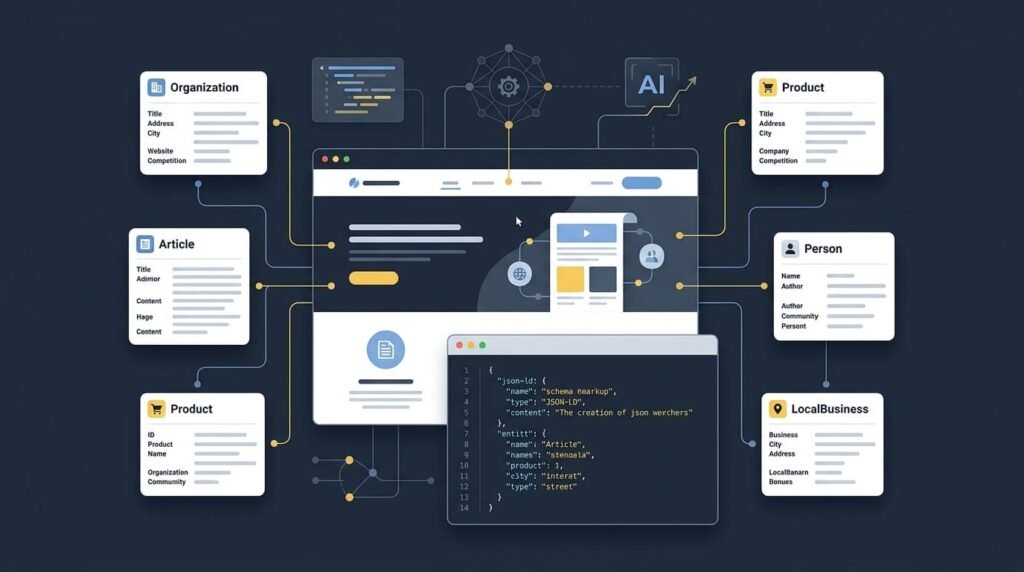
Schema markup has become an important part of technical SEO because it helps search engines understand what a webpage represents, which entities it describes, and how different pieces of information relate to one another. For WordPress website owners and SEO professionals, choosing the right schema is only half the job. Implementing it accurately, maintaining it, and avoiding unnecessary code changes are equally important.
Structured data is also relevant to AI search and Generative Engine Optimization (GEO). Although schema markup cannot guarantee higher rankings or citations in AI-generated answers, it can provide explicit information about a website’s content, organization, products, services, and authors.
The challenge is that many website owners and SEO specialists understand which schema they need but are unsure how to implement it in WordPress. Manually inserting JSON-LD into theme files can introduce maintenance challenges and, if PHP or theme code is edited incorrectly, can cause website errors.
This guide explains the most useful schema markup types, when to use them, how they support SEO and AI search, and how to manage structured data in WordPress without relying on unnecessary manual theme-file edits.
What Is Schema Markup?
Schema markup is structured data added to a webpage to describe its content in a standardized, machine-readable format. It uses the vocabulary maintained by Schema.org to identify things such as people, organizations, articles, products, services, events, and other entities.
For example, a visitor can recognize that a page contains an article written by a particular author. Schema markup can explicitly describe the page as an article and identify its author, publication date, headline, and publisher.
This additional context can help search engines interpret the information on the page.
Three concepts are worth understanding:
- Schema.org: The shared vocabulary defining types, properties, and relationships.
- JSON-LD: A structured-data format commonly used to implement schema.
- Structured data validation: The process of checking whether markup is syntactically valid and follows relevant schema and search-engine requirements.
Google recommends JSON-LD in most cases because it is generally straightforward to implement and maintain. See Google’s introduction to structured data.
However, adding schema does not automatically improve rankings. Its value depends on whether the markup accurately describes the content and whether the search engine supports the relevant search feature.
Common Schema Markup Types Every Website Owner Should Know
Not every website needs every schema type. A personal blog, an e-commerce store, a local business, and a software company have different content and structured-data requirements.
The following schema types are useful starting points. Their suitability depends on the page’s purpose and the information actually available on the website.
1. Organization Schema
Best for: Companies, agencies, brands, and other organizations.
Organization schema describes a business or organization and can include its name, website, logo, contact details, and relevant social profiles.
It can help search engines distinguish an organization from other entities with similar names.
For example, a web development agency may use Organization schema to describe its official business identity.
2. Person Schema
Best for: Authors, professionals, consultants, creators, and public-facing experts.
Person schema describes an individual. Relevant properties may include the person’s name, professional role, profile image, website, and other verified profile links.
For an expert publishing technical articles, consistent author information can help clarify who created the content.
Person schema should describe a real individual accurately; it should not be used to invent credentials or imply affiliations that do not exist.
3. WebSite Schema
Best for: Websites that need to identify their overall site entity.
WebSite schema describes the website as a whole, including its name and URL.
It is different from WebPage schema: WebSite describes the site, while WebPage describes an individual page within it.
4. WebPage Schema
Best for: Individual website pages.
WebPage schema describes a particular page and may connect it to its broader website or other relevant entities.
It can help establish relationships between a page, its publisher, and the information it contains. Many WordPress SEO plugins generate some of this markup automatically, so check the existing output before adding another implementation.
5. Article Schema
Best for: Informational articles, editorial content, and news publications.
Article schema describes the content of an article. Depending on the page, useful properties include its headline, author, publication date, modification date, image, and publisher.
Article has more specific subtypes, including BlogPosting and NewsArticle.
For example, a WordPress tutorial can use BlogPosting where appropriate, while a news report may be better represented by NewsArticle.
Accurate author and date information matters more than adding fields that do not reflect the published content.
6. BreadcrumbList Schema
Best for: Websites with clear categories and hierarchical navigation.
BreadcrumbList describes a page’s position within a website hierarchy.
A breadcrumb trail might look like:
Home → WordPress → Technical SEO → Schema Markup
Breadcrumbs help users understand where they are on a website. Appropriate structured data can also make a page eligible for breadcrumb presentation in supported Google Search results.
7. Product Schema
Best for: Individual product pages, including suitable e-commerce product pages.
Product schema can describe a product’s name, image, brand, identifiers, and other relevant details. When the page and markup meet the applicable requirements, additional Offer information may describe price, currency, and availability.
Product structured data is particularly relevant to WooCommerce stores.
However, a product category page listing dozens of unrelated items is not equivalent to an individual product page. Google provides different requirements for product snippets and merchant listings.
Never publish fabricated prices, ratings, reviews, or availability information.
8. LocalBusiness Schema
Best for: Local shops, restaurants, clinics, service businesses, and other eligible local establishments.
LocalBusiness schema describes a business with a physical or local presence. Depending on the business, useful properties may include its name, address, telephone number, opening hours, geographic information, and URL.
Choose the most specific applicable subtype when one exists.
The details should agree with the information customers can find on the website and other official business profiles.
9. Service Schema
Best for: Agencies, consultants, developers, professional services, and service providers.
Service schema describes a service being offered.
A web development company might describe WordPress development, website maintenance, or technical SEO services.
The markup should identify the actual service and its relevant provider. It should not be treated as a substitute for a useful service page explaining the work, audience, process, and benefits.
10. FAQPage Schema
Best for: Pages containing genuine, clearly presented frequently asked questions and answers.
FAQPage describes a page containing questions and their answers. It can help define the structure of that content, but website owners should not assume that implementing it will produce an FAQ rich result in Google.
Google has significantly restricted FAQ rich results, primarily showing them for well-known, authoritative government and health websites.
For most commercial websites, FAQs should be written to answer real user questions. The content may be useful even when no enhanced search presentation appears.
11. HowTo Schema
Best for: Instructional content that explains how to complete a task.
HowTo describes a sequence of steps for accomplishing a particular goal.
For example, a tutorial explaining how to configure a WordPress website may have a natural step-by-step structure.
HowTo remains a Schema.org type, but its existence does not mean Google currently offers a corresponding rich result. Check the latest search-feature documentation before promising a specific display benefit.
12. Event Schema
Best for: Conferences, workshops, webinars, performances, and other eligible events.
Event schema can describe an event’s name, start and end dates, location, organizer, and attendance details.
It is particularly useful when a page represents a real, specific event rather than a general announcement or an evergreen service.
Keep the dates, venue, and availability accurate as event details change.
13. Recipe Schema
Best for: Food blogs and recipe websites.
Recipe schema can describe a recipe’s ingredients, instructions, preparation time, cooking time, images, and other relevant information.
When the markup meets Google’s requirements, it can support eligibility for recipe-related search presentations.
A page that merely mentions a dish should not automatically be marked up as a complete recipe.
14. VideoObject Schema
Best for: Pages featuring important video content.
VideoObject can describe a video’s title, description, thumbnail, upload date, duration, and other relevant properties.
It may help search engines understand the video associated with a page. The video must also be accessible and meet the applicable technical requirements to qualify for relevant search features.
15. Course Schema
Best for: Educational providers and websites presenting structured course information.
Course schema describes an educational course and relevant details about it.
It may be appropriate for training providers, online learning platforms, or educational institutions. However, eligibility for specific Google course-related features depends on Google’s current supported formats and policies.
16. Review and AggregateRating Schema
Best for: Eligible review content and products or businesses with genuine ratings.
Review describes a review, while AggregateRating summarizes multiple ratings.
These types require particular care. Ratings must be genuine and accurately represented, and Google applies specific rules to review snippets and self-serving reviews.
Do not add star ratings simply because they look attractive in search results. A rating that is not supported by genuine user feedback can mislead visitors and violate search guidelines.
17. SoftwareApplication Schema
Best for: Software products, apps, and eligible software landing pages.
SoftwareApplication describes a software application and may include details such as its name, operating system, category, and relevant offer information.
For a software product page, this type can be more suitable than treating the product as a generic physical item. Eligibility for any Google search enhancement still depends on the current documentation and required properties.
18. ImageObject Schema
Best for: Pages where explicit image metadata is useful.
ImageObject describes an image and its associated information. It can be useful in certain structured-data relationships, including references to relevant images within other entities.
It does not mean that every image on a website needs a separate schema block. Use image properties appropriately within the overall structured-data design.
19. JobPosting Schema
Best for: Websites publishing genuine job vacancies.
JobPosting describes an individual job opening, potentially including the job title, employer, location, date posted, and application details.
Job information must be accurate and updated. Expired vacancies should not remain represented as active openings.
This schema has specific eligibility requirements, so review Google’s JobPosting documentation.
20. QAPage Schema
Best for: Eligible community question-and-answer pages.
QAPage is designed for a page focused on one question for which users can submit answers, such as an appropriate forum thread.
It is not intended for an ordinary FAQ page where the site owner publishes several questions and answers without user-submitted alternatives. In that situation, FAQPage may better describe the content, although Google FAQ rich-result visibility is restricted.
The distinction illustrates an important rule: similar-looking content can require different schema types depending on how the page actually works.
Which Schema Types Should a Typical WordPress Website Prioritize?
Rather than trying to implement all twenty types, start with the ones that describe the website’s identity and its main content.
- Business website: Organization, WebSite, WebPage, BreadcrumbList, and Service or LocalBusiness where applicable.
- Professional blog: Person, Organization where relevant, WebSite, WebPage, Article or BlogPosting, and BreadcrumbList.
- WooCommerce store: Organization, Product, relevant Offer information, and BreadcrumbList.
- Recipe website: Article where appropriate, Recipe, and relevant image or video information.
- Course provider: Organization, Course where suitable, and WebPage.
- Job board: Organization, JobPosting for valid individual vacancies, and relevant page markup.
These are starting points, not universal templates. A page may describe multiple related entities, and some schema may already be generated by WordPress, a theme, or an SEO plugin.
The objective is accurate structured data, not maximum structured data.
For more detail on the relationship between entities and AI search, see How Structured Data Helps AI Understand Your Website.
How Schema Markup Supports SEO, AI Search, and GEO
Schema markup is relevant to technical SEO because it provides explicit clues about the content of a page. Google can use supported structured data to understand page content and determine eligibility for certain enhanced search appearances.
However, three separate concepts should not be confused.
Traditional SEO
Structured data can help a page qualify for supported rich results when all applicable requirements are met.
It does not replace crawlability, indexing, useful content, internal linking, page experience, or other SEO fundamentals. Valid markup also does not guarantee that Google will show a rich result.
AI Search and Answer Engines
AI-powered search experiences need to identify useful sources, interpret information, and present relevant links or answers.
Structured data can contribute to the clarity of entities and relationships described on a page. For example, it can explicitly identify an author, an organization, a product, or an article.
But schema is only one part of the picture. Content quality, accessibility to crawlers, clear page structure, reliable information, and the overall technical health of the website remain important.
Google’s guidance on AI features and your website states that the established SEO fundamentals remain relevant and that no special schema markup is required to appear in Google AI Overviews or AI Mode.
Generative Engine Optimization (GEO)
GEO focuses on improving the chances that useful, reliable content can be discovered, understood, and considered by generative search experiences.
Structured data can support this goal by making certain facts and relationships explicit. For example, an accurately marked-up article can identify its author and publisher, while a product page can describe the product and its relevant attributes.
Nevertheless, adding schema does not guarantee that an AI system will retrieve, cite, or recommend a website.
A sensible GEO strategy combines accurate structured data with helpful content, clear information architecture, consistent entity information, crawlable pages, and a trustworthy website.
How to Add Schema Markup to WordPress
WordPress users have several implementation options. The right choice depends on their technical skills, existing plugins, website complexity, and need for control.
Method 1: Add JSON-LD Manually
A developer can create JSON-LD and insert it through an appropriate implementation point, such as a custom plugin or a carefully managed code integration.
This approach offers flexibility but requires technical understanding. When code is added directly to theme files, a syntax mistake or inappropriate PHP change can cause errors. Theme updates can also complicate maintenance when modifications are made in the wrong place.
Manual implementation can be suitable for developers who need custom behavior and can test and maintain the code.
Method 2: Use an SEO Plugin
Many WordPress SEO plugins generate schema for common page types automatically.
This can be convenient for standard websites, but the available schema types and customization options differ between plugins.
Before installing another schema solution, check what your current SEO plugin and theme already output. Adding another plugin without checking can result in duplicate or conflicting structured data.
Method 3: Use a Dedicated Schema Plugin
A dedicated schema plugin can provide a more focused workflow for creating, applying, inspecting, and managing structured data.
This can be particularly useful when an SEO specialist knows which schema a page needs but does not want to edit theme files or send every routine update to a developer.
For larger websites, central management and validation shortcuts can also reduce repetitive work.
Schema Genie Pro: A Practical Way to Manage Schema in WordPress
One practical challenge in WordPress schema implementation is that creating the JSON-LD is only one step. Users must also apply it to the correct pages, manage changes, and validate the output.
This is the problem I wanted to address when building Schema Genie Pro, a WordPress schema markup plugin designed to help website owners, SEO professionals, and developers manage structured data through a visual, code-free workflow.
Instead of manually editing theme files just to add schema, users can select a page, choose an appropriate schema type, enter the relevant information, and apply the markup through the plugin’s interface.
Its features include:
- Visual schema creation: Work with schema fields without manually writing every JSON-LD property.
- Support for multiple schema types: Choose from a broad selection of schema types for different page requirements.
- Multiple schemas on a page: Apply related schema types when they accurately describe the page and do not conflict with existing output.
- Live JSON-LD preview: Inspect the generated markup rather than treating it as an invisible process.
- Central schema dashboard: Manage schema assignments from a central interface.
- Validation shortcuts: Open the Google Rich Results Test and Schema.org Validator to inspect the generated structured data.
These capabilities are intended to simplify the routine workflow of creating, applying, and checking schema.
For example, suppose an SEO specialist wants to add Article schema to a WordPress blog post. With a manual workflow, the specialist may generate JSON-LD, send it to a developer, wait for implementation, and then test the page. A dedicated schema workflow can reduce the need for theme-file edits for this kind of task.
You can review the plugin’s features and implementation approach on the official Schema Genie Pro page.
Does Using a Plugin Make Schema Implementation Completely Risk-Free?
No WordPress plugin should be treated as a guarantee against every error or compatibility issue.
A plugin-based approach can avoid the need to edit theme files for routine schema tasks, but the resulting markup still needs to be accurate, correctly placed, and compatible with the rest of the website.
Before publishing, check that:
- The selected schema matches the page’s actual purpose.
- The values reflect information visible to visitors.
- Required properties are present where applicable.
- Existing plugins or the theme are not generating conflicting duplicates.
- The markup passes the relevant validation checks.
- The page still functions correctly after the change.
Schema Genie Pro is intended to make schema implementation and management more accessible; it does not remove the need for sound technical judgment.
How to Validate Schema Markup After Implementation
Generating schema is not the final step. Validation helps identify errors and confirm that the markup describes the intended content.
Use these tools as appropriate:
1. Google Rich Results Test
Open the Google Rich Results Test to check whether supported structured data on a page is eligible for Google rich results. It does not test every possible Schema.org type or guarantee a rich-result display.
2. Schema.org Validator
Open the Schema.org Validator to inspect structured data against the Schema.org vocabulary. This can be useful even when a type does not qualify for a Google rich result.
3. Google Search Console
Use Search Console to monitor relevant enhancement reports, inspect URLs, and review indexing or search-performance information available for your website. Not every schema type has a dedicated enhancement report.
A reliable process is:
Choose the schema → Generate the markup → Apply it → Validate → Fix errors → Re-test → Monitor.
Repeat these checks after major content changes, plugin updates, theme changes, or website migrations when those changes may affect structured data.
Schema Markup Best Practices for WordPress Websites
Whether you implement schema manually or use a plugin, follow these principles:
- Choose relevant schema: Use the most specific applicable type for the content.
- Keep it accurate: Structured data must represent the page honestly.
- Match visible content: Do not use schema to describe information that visitors cannot reasonably find on the page.
- Avoid duplication: Check whether your theme, SEO plugin, or another schema plugin already generates the same information.
- Use consistent entities: Keep names, URLs, authorship, and organization details consistent where appropriate.
- Maintain current information: Update prices, availability, business details, dates, and other changing fields.
- Validate after implementation: Check both syntax and eligibility for any intended Google search feature.
- Keep the website healthy: Schema does not compensate for blocked crawling, poor content, broken pages, or an inaccessible website.
- Do not promise rankings or AI citations: No schema type or plugin can guarantee those outcomes.
Frequently Asked Questions About Schema Markup
What is the most important schema markup for a website?
There is no single schema type that is best for every website. Organization may be useful for a company, Article for an editorial page, Product for an individual product page, and LocalBusiness for an eligible local business. Choose schema based on the content and purpose of each page.
Does schema markup improve Google rankings?
Schema markup is not a general ranking guarantee. It can help search engines interpret content and may make pages eligible for supported rich results, but valid structured data does not guarantee enhanced display or better rankings.
Is schema markup important for AI SEO and GEO?
Structured data can help describe entities and relationships explicitly, which may support machine understanding. However, AI search visibility also depends on accessible, useful, reliable content and established technical SEO practices. Schema does not guarantee AI citations.
Can I add schema markup to WordPress without editing theme files?
Yes. Depending on your requirements, you can use an existing SEO plugin, a dedicated schema plugin, or a custom plugin-based implementation. Schema Genie Pro is one option designed to help users create and apply schema through a visual workflow without manually editing theme files for routine schema tasks.
Can I use multiple schema types on one page?
Yes, when each type accurately describes relevant content and the markup is implemented consistently. For example, a page may describe an article and its author as related entities. Avoid adding unrelated types or creating conflicting duplicate information.
Should I add FAQPage schema to every article?
No. Use it only where the page genuinely contains suitable FAQ content. Google currently restricts FAQ rich results primarily to well-known, authoritative government and health websites, so most sites should not expect a visible FAQ enhancement.
How do I know whether my schema markup is valid?
Use the Schema.org Validator to inspect structured data and the Google Rich Results Test to check eligibility for supported rich results. Search Console can provide additional information about indexing and applicable search enhancements.
Conclusion: Choose the Right Schema and Implement It Correctly
Schema markup is most useful when it accurately describes a website’s content, entities, and relationships. For website owners and SEO professionals, the goal is not to implement every available schema type. It is to select the types that match the website, apply them correctly, and keep them accurate as the content changes.
Structured data also has a place in AI SEO and GEO, but it should complement rather than replace helpful content, technical SEO, clear information architecture, and reliable website information.
WordPress users do not always need to edit theme files or manually insert JSON-LD to manage structured data. Existing SEO plugins, custom implementations, and dedicated schema tools can all be appropriate depending on the project.
For those looking for a visual way to generate, apply, preview, and manage schema, Schema Genie Pro offers a practical option designed to reduce unnecessary manual implementation work.
The principle is simple: choose relevant schema, implement it carefully, validate the output, and maintain it over time. That is a stronger foundation for technical SEO and machine-readable website content than adding schema merely to increase the number of markup types on a page.
About the Author
Mirza Hadi Baig is a Full-Stack WordPress Developer, Technical Problem Solver, product builder, and AI learner with 5+ years of hands-on web development experience. His work spans WordPress, PHP, JavaScript, technical SEO, structured data, AI search, and Generative Engine Optimization.
As a product builder, he develops practical tools to solve real-world web and SEO problems, including Schema Genie Pro. Through his technical articles, he shares practical approaches to WordPress development, website optimization, structured data, and the evolving relationship between search engines and AI-powered discovery.
Explore more technical guides and tools at DCX-Herald