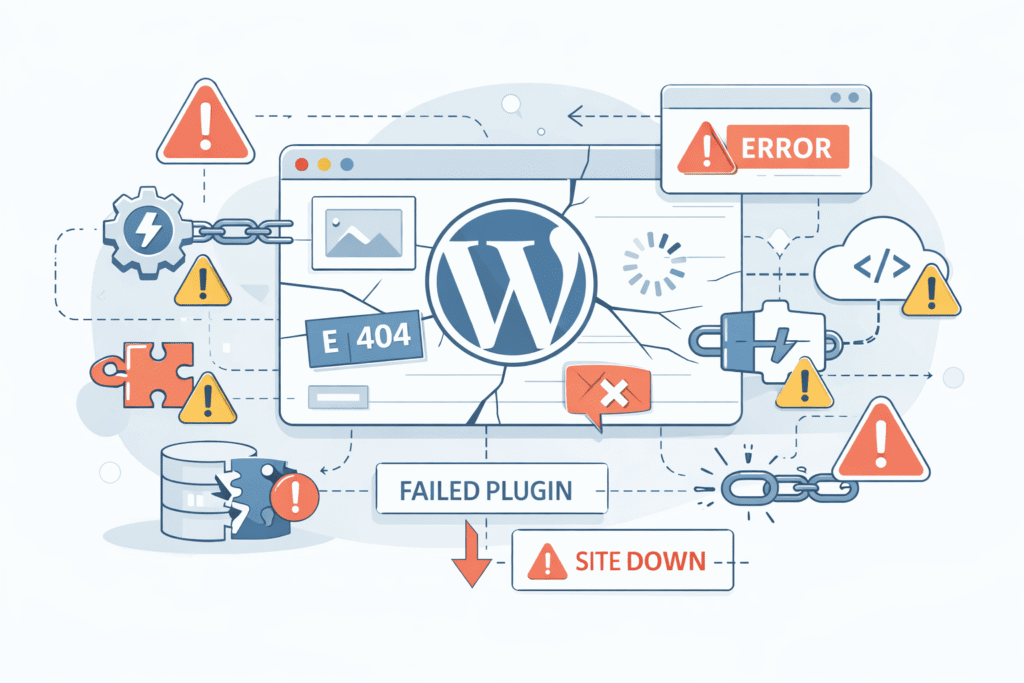
Introduction: It’s Not “Bad Luck” — It’s a Pattern
If your website keeps breaking again and again, it’s easy to assume:
- Hosting is unreliable
- Developers didn’t do a good job
- Or something “random” keeps going wrong
But in reality, repeated website issues are rarely random.
They are usually the result of systemic weaknesses — small decisions made over time that quietly accumulate until the site becomes fragile. What feels like isolated incidents are often connected beneath the surface.
At first, the problems seem minor:
- A plugin conflict
- A slow page
- A layout issue
These early signs are often ignored because they don’t immediately impact the business. However, they are indicators of deeper structural issues.
Then suddenly:
- The site crashes
- Features stop working
- Updates break functionality
This isn’t coincidence. It’s a pattern.
And to understand it properly, we need to move from general website issues to what happens specifically in WordPress environments, where these problems are most common due to their flexible and plugin-driven nature.
The General Problem: Websites Break When Systems Are Not Designed — Only Assembled
Before diving into WordPress, it’s important to understand a broader truth: most websites are not engineered as systems — they are assembled as collections of parts.
Many websites are not truly engineered — they are assembled.
Built using:
- Themes
- Plugins
- Quick fixes
- One-time solutions
This approach works initially because it’s fast and cost-effective. It helps launch quickly and solve immediate needs, which is why it’s so widely used.
But over time, it creates a system where:
- Components depend on each other in unclear ways
- Changes in one area affect another unexpectedly
- No one has full visibility of how everything connects
This leads to a fragile system where even a small update can trigger a chain reaction.
A well-designed system is predictable.
An assembled system is reactive.
Most breaking websites fall into the second category.
Why WordPress Sites Break More Often
To understand repeated failures, you need to understand how WordPress is structured and why its flexibility can become a weakness if not managed properly.
WordPress is powerful — but it’s also highly modular.
That flexibility comes with a trade-off:
Your website is only as stable as the weakest plugin, theme, or integration you use.
A typical WordPress site includes:
- A core system
- A theme (often heavily customized)
- Multiple plugins (sometimes 10–30+)
- External integrations
Each of these layers introduces potential risk. Even if each component works fine individually, their interaction can create unexpected issues.
And the more layers you add without structure, the more fragile the system becomes.
The Real Reasons Your WordPress Site Keeps Breaking
Before looking at individual causes, it’s important to understand that these issues rarely exist alone. Most WordPress problems come from a combination of these factors working together.
1. Plugin Overload Without Strategy
Plugins are one of WordPress’s biggest strengths, but also one of its biggest risks when used without planning.
Adding plugins is easy — managing them is not.
Most sites gradually accumulate plugins for:
- SEO
- Security
- Forms
- Speed
- Design features
The problem is not the number — it’s the lack of coordination.
Plugins may:
- Conflict with each other
- Duplicate functionality
- Load unnecessary scripts
- Break after updates
Without a clear plugin strategy, your site becomes a collection of independent tools rather than a cohesive system.
2. Updates Without Compatibility Awareness
Updates are essential for security and performance, but they introduce risk if not handled carefully.
WordPress requires regular updates:
- Core updates
- Plugin updates
- Theme updates
But updates are not always compatible with each other.
A common scenario:
- Plugin updates → breaks theme
- Theme updates → breaks customization
- PHP update → breaks older plugins
When updates are done blindly (or ignored completely), instability increases.
Updates are not the problem — unmanaged updates are.
3. Poorly Built or Overloaded Themes
Themes define both the design and a large part of the functionality, which makes their quality critical.
Many WordPress sites rely on:
- Pre-built themes
- Page builders
- Heavy design frameworks
While convenient, these often include:
- Excessive code
- Unused features
- Complex dependencies
Over time:
- Performance drops
- Conflicts increase
- Maintenance becomes harder
A theme that tries to do everything often ends up being the reason things break.
4. No Staging Environment
A staging environment is one of the most overlooked yet critical parts of a stable website workflow.
One of the biggest mistakes:
Making changes directly on the live site.
Without a staging environment:
- You test in production
- Users experience errors
- Fixes become reactive
Even a small change (like updating a plugin) can:
- Break layouts
- Disable features
- Cause downtime
A staging environment acts as a safety layer — without it, every change is a risk.
5. Lack of Regular Maintenance
Websites are living systems that require continuous care, not one-time setup.
Websites are not “build once and forget” systems.
They require:
- Updates
- Monitoring
- Performance checks
- Security reviews
Without maintenance:
- Outdated components accumulate
- Vulnerabilities increase
- Bugs remain unresolved
Many site owners only act when something breaks — by then, the damage is already done.
6. Custom Fixes Without Documentation
Custom work is often necessary, but without proper tracking, it becomes a long-term risk.
Over time, developers may add:
- Custom code
- Quick patches
- Temporary fixes
If these are not documented:
- Future developers don’t understand the system
- Updates override custom changes
- Bugs become harder to trace
This creates a situation where every fix introduces new uncertainty.
7. Cheap Hosting with No Optimization
Hosting is the foundation of your website, and weak foundations create unstable systems.
Hosting is often underestimated.
Low-quality hosting can cause:
- Slow performance
- Memory issues
- Unexpected downtime
- Compatibility problems
WordPress sites especially need:
- Proper PHP configuration
- Adequate resources
- Optimized server environment
If the foundation is weak, even a well-built site can behave unpredictably.
8. No Clear Ownership or Responsibility
Without ownership, even well-built systems degrade over time.
In many cases:
- One developer builds the site
- Another updates it
- A third fixes issues
Without clear ownership:
- No one maintains long-term responsibility
- Decisions become inconsistent
- Problems repeat
A website without ownership becomes a system without direction.
The Hidden Truth: It’s Not One Problem — It’s Accumulation
Before trying to fix recurring issues, it’s important to shift how you think about the problem.
Most site owners look for a single reason:
- “Which plugin caused this?”
- “Which update broke the site?”
But the real issue is accumulation over time.
Small compromises:
- One extra plugin
- One skipped update
- One quick fix
Eventually combine into:
- Instability
- Performance issues
- Frequent breakdowns
The system doesn’t break suddenly — it slowly becomes breakable.
How to Stop Your Website from Breaking Again
Fixing the issue requires moving from reactive fixes to a structured approach.
1. Reduce and Audit Plugins
- Remove unnecessary plugins
- Avoid overlapping functionality
- Choose well-maintained tools
Fewer, well-chosen plugins = more stability.
2. Use a Staging Environment
- Test updates before applying
- Validate changes safely
- Prevent live errors
This alone can eliminate many recurring issues.
3. Follow a Structured Update Process
- Backup before updates
- Update in controlled steps
- Check compatibility
Updates should be planned, not rushed.
4. Invest in Proper Hosting
- Choose performance-optimized hosting
- Ensure compatibility with WordPress
- Monitor server health
Your hosting should support your site — not limit it.
5. Maintain Documentation
- Track custom changes
- Record configurations
- Keep update logs
Clarity reduces future risk.
6. Assign Clear Ownership
- One responsible person or team
- Defined maintenance process
- Consistent decision-making
Ownership brings accountability and stability.
7. Think System, Not Features
Before adding anything new, consider its long-term impact.
Instead of asking:
“What feature should we add?”
Ask:
“How will this affect the system?”
This mindset shift prevents long-term issues.
Key Takeaways
- Websites don’t break randomly — they break due to accumulated decisions
- WordPress sites are especially vulnerable due to plugin and theme dependencies
- Most issues come from lack of structure, not lack of tools
- Stability requires process, not just fixes
- Preventing problems is easier than repeatedly solving them
Conclusion: Stability Is a Strategy, Not a Fix
If your website keeps breaking, the solution is not:
- Another plugin
- Another quick fix
- Another emergency patch
The solution is changing how the system is managed.
WordPress is not unstable by nature.
But it becomes unstable when treated as a shortcut instead of a system.
The most reliable websites are not the ones with the most features —
they are the ones with the clearest structure, simplest architecture, and consistent care.
Because in the end,
a stable website is not built once — it is maintained intentionally.
References
- WordPress – Official Documentation
https://wordpress.org/documentation/ - WPBeginner – Common WordPress Errors Guide
https://www.wpbeginner.com/beginners-guide/common-wordpress-errors-and-how-to-fix-them/ - Kinsta – WordPress Troubleshooting Guide
https://kinsta.com/blog/wordpress-errors/ - SiteGround – WordPress Optimization Guide
https://www.siteground.com/tutorials/wordpress/optimization/ - Sucuri – Website Security & Maintenance
https://sucuri.net/guides/website-security/