
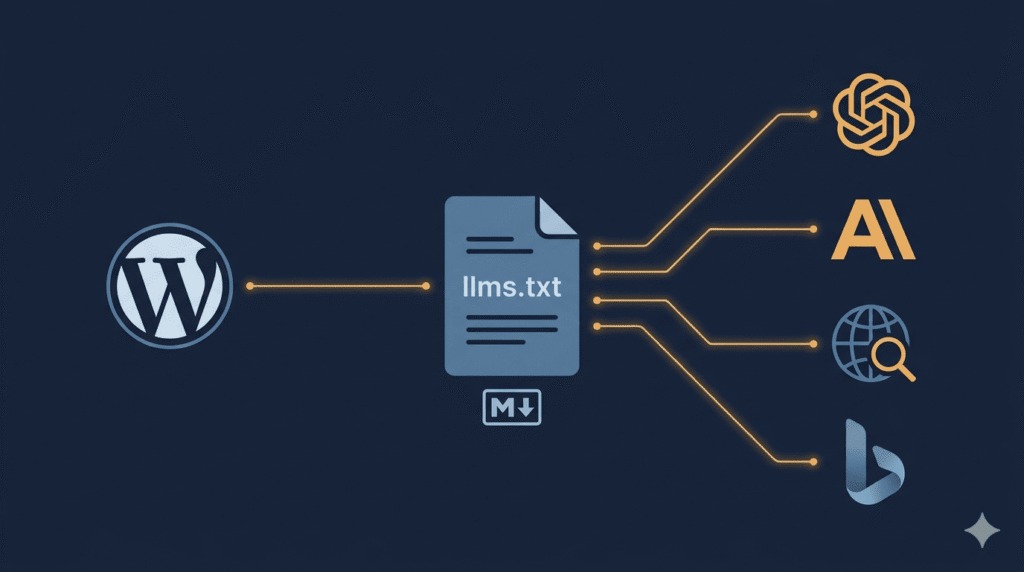
LLMs.txt is one of those emerging standards where the hype has significantly outpaced the evidence — and where understanding what it actually does, rather than what people claim it does, is what separates a useful implementation from a wasted afternoon.
The conversation around LLMs.txt picked up significant momentum in 2025 and has continued into 2026 as AI-powered search surfaces — ChatGPT, Claude, Perplexity, Gemini, and others — have become genuine traffic sources for many websites. The premise behind LLMs.txt is simple and logical: if AI systems are reading and citing your content, giving them a cleaner, more structured way to find and understand it should help. The reality, as usual, is more nuanced than the premise.
This article covers what LLMs.txt actually is, where the standard stands right now, what it genuinely does and does not do, how to implement it correctly on a WordPress site — and how I built a free plugin specifically for WordPress developers and site owners who want this handled properly without touching a single file manually.
What is LLMs.txt
LLMs.txt is a lightweight text document placed in the root directory of a website. Its purpose is simple — help AI systems quickly understand a site’s most important content without processing unnecessary HTML clutter.
Proposed in 2024 by Jeremy Howard of Answer.AI, LLMs.txt serves as a new open-standard convention designed to help large language models navigate website content with greater precision. It provides AI tools with a curated, easy-to-parse set of priority pages, ensuring they can identify and interpret essential information more efficiently.
The analogy most commonly used is robots.txt — the file that tells search engine crawlers which pages to index and which to avoid. LLMs.txt operates on a similar principle but for a different audience. Where robots.txt manages crawler access, LLMs.txt provides structured content guidance specifically for large language models and AI retrieval systems.
It is written in Markdown format, which removes unnecessary code and keeps only structured text and links. When an AI crawler visits a website, it can check the root directory for /llms.txt and use it as a trusted content index. Instead of scanning the entire website blindly, the AI can immediately understand the site’s most important content — improving efficiency and increasing the chance that content appears in AI-generated summaries.
Why this problem exists in the first place
To understand why LLMs.txt was proposed at all, it helps to understand how large language models read web content differently from how humans do.
A human visiting a web page visually filters out the navigation menu, the footer, the cookie banner, the sidebar widgets, the promotional popups, and the advertising elements — and reads the actual article. This filtering happens automatically and instantly.
Artificial intelligence systems read the raw underlying code. This means they must process dynamic menus, scripts, advertisements, tracking code, styling layers, and interactive elements alongside the actual content. Large language models also operate within memory limits known as context windows. If too much memory is consumed parsing unnecessary layout code, the model may not fully process the actual article or documentation.
A WordPress site generates a significant amount of surrounding HTML for every page — theme wrapper markup, plugin-injected scripts, widget areas, Gutenberg block container divs, and more. The actual content of a 1,200-word article may represent a small fraction of the total HTML an AI system has to process to reach it.
LLMs.txt is the proposed solution — a clean, minimal, Markdown-formatted index that tells AI systems what is on the site and where to find it, without requiring them to wade through the full HTML of every page.
The two file types — LLMs.txt and LLMs-full.txt
There are two related but different file types. The standard LLMs.txt file is an index — it acts like a table of contents and contains links to important pages. The LLMs-full.txt file is a complete text export of the entire website, containing all content in one large Markdown document. Most websites only need the standard LLMs.txt file.
LLMs.txt — a structured index of your site’s most important pages. Think of it as the curated highlights — key service pages, important articles, product documentation, and core content. Formatted in Markdown with brief descriptions for each link.
LLMs-full.txt — the complete content of your site exported as plain text. Every post, every page, every product description. This is primarily useful for documentation sites, developer tools, and content-heavy platforms where an AI system might need full access to the entire content library. For most WordPress business sites and blogs, this file is overkill.
A correctly structured LLMs.txt file looks like this:
# Your Site Name

> A brief one to two sentence description of what your site
> is and who it serves.

## Core Pages

- [About](https://yoursite.com/about/): Who we are
- [Services](https://yoursite.com/services/): What we offer
- [Contact](https://yoursite.com/contact/): Get in touch

## Blog — Key Articles

- [Article One](https://yoursite.com/article-one/): Brief description
- [Article Two](https://yoursite.com/article-two/): Brief description

## Optional

- [Full content index](https://yoursite.com/llms-full.txt)
Clean. Minimal. Machine-readable. No navigation markup. No tracking scripts. No surrounding HTML noise.
What LLMs.txt actually does — the honest answer
This is where the article needs to be direct in a way that most LLMs.txt coverage has not been.
The honest answer is: it depends on which AI system is processing your content, and the evidence for direct ranking or citation benefit is currently limited.
Google has said no, on the record. In July 2025, Google’s Gary Illyes confirmed Google does not support LLMs.txt and is not planning to. John Mueller compared it to the discredited keywords meta tag. No major LLM provider — OpenAI, Anthropic, Google, Meta, or Mistral — has publicly committed to using LLMs.txt as a signal in their production search or answer surfaces.
Across hundreds of millions of LLM bot traffic events analysed, filtering for the user agents that actually drive citations — GPTBot, ClaudeBot, PerplexityBot, OAI-SearchBot, Google-Extended — the share of requests touching /llms.txt is statistically negligible. Anyone selling LLMs.txt as a GEO ranking factor is selling something the data does not support.
That is the honest picture for AI search visibility. But the story does not end there.
Where LLMs.txt does demonstrably work is in developer tooling. IDE agents fetch LLMs.txt routinely. Cursor, Windsurf, Claude Code, GitHub Copilot, Cline, and Aider all look for /llms.txt and /llms-full.txt when pointed at a documentation site. The standard playbook is: the agent identifies which dependency owns a feature, fetches that library’s LLMs.txt, then pulls only the relevant linked pages before writing code.
As of 2026, LLMs.txt remains a community-driven proposal rather than an official IETF or W3C standard. However, adoption is currently at 5 to 15 percent among tech and documentation sites, and it is the emerging standard for open-source and AI-native companies including Anthropic, Cursor, and Vercel.
So where does that leave a typical WordPress site?
If your site is a developer tool, documentation platform, or technical resource: LLMs.txt has clear, demonstrable value right now. Developer-facing AI tools actively fetch it.
If your site is a business website, blog, eCommerce store, or service site: The direct benefit to AI search citation is currently unproven. The implementation cost is low and the file does no harm — making it a reasonable forward-looking investment even without confirmed returns today.
The implementation cost on WordPress is low enough — particularly with a plugin — that the question of whether to implement it is less about ROI calculation and more about whether you want to be prepared for a standard that is gaining serious adoption as AI search surfaces continue to mature.
What LLMs.txt is not
Before implementation, three things worth being clear about:
It is not a replacement for your XML sitemap. Your XML sitemap exists for search engine crawlers — Google, Bing, and others. LLMs.txt exists alongside it, not instead of it. Both should be present.
It is not a robots.txt for AI crawlers. Robots.txt controls access — what crawlers are allowed to fetch. LLMs.txt provides content guidance — what content is most important and how it is structured. Different purpose, different mechanism.
It is not a guaranteed AI citation signal. No major AI search provider has publicly confirmed that LLMs.txt influences which content gets cited in AI-generated responses. It may help. It is not confirmed to help for all platforms.
How to check if LLMs.txt already exists on your site
Before implementing anything, check whether LLMs.txt already exists. Visit:
https://yoursite.com/llms.txt
If it returns a structured Markdown file, it is already in place — possibly auto-generated by Yoast SEO or Rank Math in their more recent versions. If it returns a 404, it does not yet exist.
How to add LLMs.txt to a WordPress site
There are three approaches for WordPress sites, ranging from fully manual to fully automated.
Option 1 — Manual creation via FTP
Create a plain text file named llms.txt. Write the content in Markdown format following the structure shown earlier. Upload it to the root directory of your WordPress installation — the same directory where wp-config.php lives.
This is the most precise approach but requires manual updating every time significant new content is published. For sites with frequent publishing schedules, it becomes impractical quickly.
Option 2 — Manual creation via hosting file manager
If FTP access is not available, most hosting control panels — cPanel, Plesk, and similar — provide a file manager. Navigate to the root directory, create a new file named llms.txt, paste the Markdown content, and save. Immediately accessible at yoursite.com/llms.txt.
Same limitation as Option 1 — manual updates required as content changes.
Option 3 — WordPress plugin (recommended)
For any WordPress site with a regularly updated content library, a plugin that auto-generates and maintains LLMs.txt is the only practical approach. This is exactly why I built the HS3Dev LLMS Generator.
Introducing HS3Dev LLMS Generator — built for WordPress developers and site owners
Managing LLMs.txt manually on an actively updated WordPress site is the kind of task that gets done once correctly and then quietly falls behind as new content is published. The file becomes outdated. New articles are not reflected. Updated pages are missing from the index. The file that was supposed to help AI systems understand your content ends up misrepresenting it.
I built HS3Dev LLMS Generator specifically to solve this problem — as a full stack WordPress developer who works across plugin development, backend architecture, and front-end delivery, and who saw firsthand how poorly the existing manual approaches scaled for real production sites.
HS3Dev LLMS Generator is a custom-built WordPress plugin that automatically generates and maintains your LLMs.txt file, keeping it accurate and up to date without any manual file management.
Core features — completely free:
- Automatic LLMs.txt generation at
yoursite.com/llms.txton activation - Auto-regeneration whenever new content is published or existing content is updated
- Support for posts, pages, and custom post types
- Clean Markdown formatting that AI systems parse efficiently
- No FTP access required, no file editing, no coding knowledge needed
- Works across any WordPress theme or page builder setup
Premium-level features — also included free:
This is where HS3Dev LLMS Generator goes beyond what other solutions offer. Built-in AI crawler analytics show you which AI bots are visiting your LLMs.txt file, how frequently, from which systems — GPTBot, ClaudeBot, PerplexityBot, and others — and when. Most tools charge for this level of insight. HS3Dev includes it at no cost because understanding whether AI systems are actually reading your content index is fundamental to knowing whether the implementation is working.
Additional features include content filtering, category and post type selection controls, and automatic file validation to ensure the generated output is correctly formed.
This plugin is not available on the WordPress plugin repository. It is built and maintained directly by me — which means you get direct developer support, faster iteration on new features, and a plugin that is actively developed rather than sitting in a repository queue.
The plugin is completely free to use. Visit the official plugin page at hs3dev-llms-generator to get started, or send a message directly if you want to discuss your specific setup, ask about compatibility with your theme or existing plugins, or get help with installation and configuration.
Building HS3Dev LLMS Generator came from the same place all good development tools come from — a real problem that existing solutions were not solving well enough. If you maintain WordPress sites professionally, I would love to hear how it performs on your setup.
Validating your LLMs.txt implementation
Once LLMs.txt is in place, validate it properly:
Check the file is accessible: Visit yoursite.com/llms.txt in a browser. The file should load as plain Markdown text. A 404 means it is not in the correct location or the server is not serving it correctly.
Check the content is accurate: Review the links listed. Do they point to pages that actually exist? Is the most important content on your site represented? A generated file is a strong starting point — reviewing it to confirm it reflects your actual content priorities is worth five minutes of your time.
Check the file is served as plain text: Open browser developer tools, go to the Network tab, load yoursite.com/llms.txt, and check the Content-Type response header. It should return text/plain. Some server configurations attempt to apply HTML rendering or force redirects on plain text files.
Check for broken links: Every link inside the LLMs.txt file should point to a live, accessible page. A link to a deleted or redirected page undermines the usefulness of the index for any AI system attempting to follow it.
LLMs.txt and the broader AI visibility picture
LLMs.txt is one piece of a larger conversation about how websites communicate with AI systems. It works alongside — not instead of — the other signals that matter:
Structured data and schema markup — Article, Organisation, Product, and other Schema.org types help AI systems understand what type of content a page contains. Schema markup and LLMs.txt serve different functions and both belong in a complete AI visibility strategy.
Content quality and clarity — AI retrieval systems cite content that clearly and directly answers questions. Well-structured articles with descriptive headings, concise answers, and factual accuracy are more likely to be cited regardless of what files exist in the site root.
Crawlability for AI bots — Check that your robots.txt does not inadvertently block AI user agents. GPTBot, ClaudeBot, and PerplexityBot need access to your content before LLMs.txt can help them navigate it.
Topical authority — AI systems favour content from sources that demonstrate consistent depth and expertise in a subject area. A single article is less likely to be cited than a site with a consistent body of work covering a topic thoroughly.
LLMs.txt improves the efficiency with which AI systems can navigate your content. It does not substitute for the content quality and site structure that determine whether that content gets cited in the first place.
Should you implement LLMs.txt on your WordPress site right now
The honest answer is: yes, with realistic expectations.
In 2026, LLMs.txt should be as standard as a favicon. That trajectory is not guaranteed, but it is plausible. The standard is gaining adoption among technical and developer communities. AI search surfaces are growing as a traffic source. The cost of being prepared is low.
Implement it. Keep expectations calibrated. Focus the majority of your AI visibility effort on content quality, accurate schema markup, and a crawlable site structure — because those signals have confirmed value regardless of how the LLMs.txt standard evolves.
And use a plugin that keeps the file updated automatically — because a static LLMs.txt that falls behind your actual content is marginally better than no file at all, and significantly worse than an accurate, maintained one.
Have you implemented LLMs.txt on your WordPress sites? Seeing AI crawler activity in your server logs? Share your experience in the comments — and if you want to get HS3Dev LLMS Generator running on your site, visit hadi-mirza.com/hs3dev-llms-generator or send a message directly.
References & Further Reading
For deeper reading on the ideas covered in this article, these resources are worth your time:
- HS3Dev LLMS Generator — Official Plugin Page
- LLMs.txt Official Proposal — Answer.AI by Jeremy Howard
- Limy.ai — LLMs.txt in 2026 The Full Guide
- Bluehost — What is LLMs.txt and How It Works
- Search Engine Journal — LLMs.txt and AI Search Value
- EasyFAQ — LLMs.txt Standard Guide 2026
- Webscraft — LLMs.txt Full Guide for Web Developers