
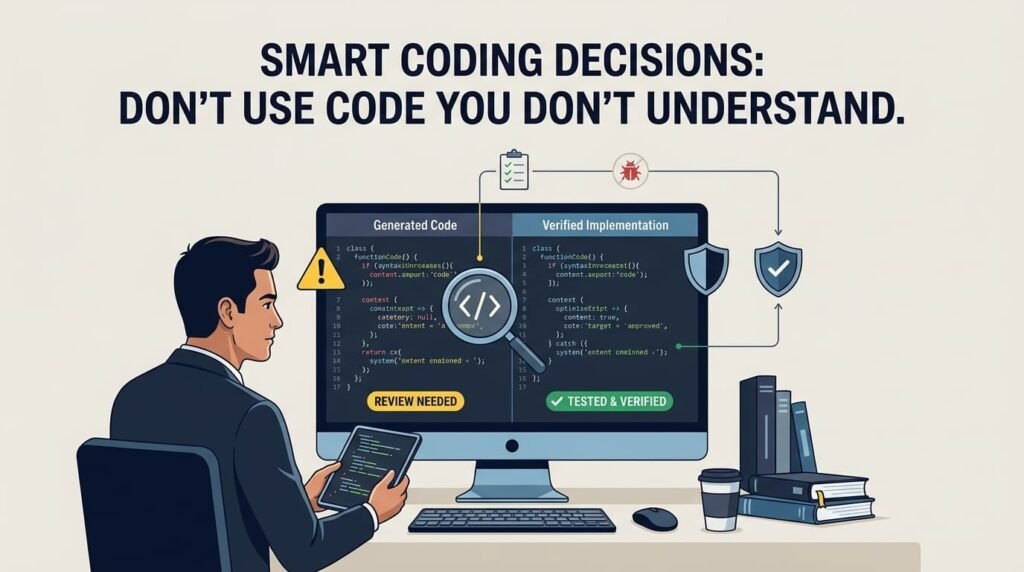
AI coding assistants, online tutorials, code repositories, and developer communities have made programming knowledge more accessible than ever. Developers can now generate functions, build website components, fix errors, and create entire features without writing every line manually.
But accessibility creates a new responsibility: just because you can obtain code does not mean you are ready to use it.
Imagine a developer asks an AI tool to create a custom WordPress feature. The generated code looks professional, works in a quick test, and appears to solve the problem. The developer copies it into the website without understanding how it works.
Everything seems fine until the feature conflicts with another plugin, exposes sensitive information, slows down the website, or breaks after an update.
The problem is not necessarily that AI generated the code. The problem is that the code was implemented without sufficient understanding, review, or testing.
This is an important principle of modern software development: never treat code you don’t understand as code you can safely maintain.
Why Understanding Code Still Matters in the AI Era
AI tools can explain programming concepts, suggest solutions, generate boilerplate, and help developers investigate errors. These capabilities can improve productivity and reduce repetitive work.
However, generated code is not automatically correct, secure, efficient, or compatible with every environment.
AI may produce a solution that works for a simple example but fails when exposed to real user input, unexpected conditions, larger datasets, or a different software configuration. Code copied from an online tutorial may depend on an outdated library, an assumption that does not apply to your project, or a configuration that differs from your production environment.
Understanding the code helps developers evaluate whether a proposed solution actually fits the problem.
Before implementing unfamiliar code, ask yourself:
- What problem does this code solve?
- How does it work, step by step?
- What inputs does it accept, and what outputs does it produce?
- Does it change data, access files, or communicate with external services?
- What happens if an unexpected value or error occurs?
- Could it create security, performance, or compatibility problems?
You do not need to memorize every line of code. You do need enough understanding to explain its purpose, recognize its limitations, and investigate it when something goes wrong.
For developers learning to work with AI tools, the distinction is especially important. In Should Developers Learn Coding Fundamentals Before AI Coding Tools?, I explore why programming fundamentals remain valuable even when AI can generate working code.
Copying Code Is Easy. Maintaining It Is the Real Test.
A code snippet may solve an immediate problem without being a good long-term solution.
For example, a developer might copy a JavaScript function that updates a button or a PHP function that retrieves WordPress content. The feature appears to work, so the code is considered finished.
Later, a client requests another feature. The new code depends on the original function, but nobody understands its assumptions or side effects. A small change causes unexpected behavior, and debugging becomes harder because the implementation was never properly understood.
This creates technical debt: future development becomes more expensive and risky because earlier decisions were made without sufficient consideration.
The same issue appears when developers copy entire HTML, CSS, and JavaScript blocks into page-builder widgets without considering the website’s existing structure. The code might duplicate scripts, conflict with theme styles, load unnecessary resources, or make future maintenance difficult.
My article AI-Generated Website Designs Are Easy. Production-Ready Websites Are Not. explores this wider challenge: generating a design or code sample is only one part of delivering a reliable website.
The lesson is not to avoid code reuse. Reusing reliable, well-understood code is a normal and valuable engineering practice.
The lesson is to distinguish between reusing a solution you understand and importing a solution you cannot evaluate.
Good developers do not judge code only by whether it works once. They also consider whether it can be maintained, extended, tested, and safely used in the intended environment.
How to Evaluate AI-Generated or Unfamiliar Code
You do not need to reject unfamiliar code automatically. Instead, use a structured process to understand it before relying on it.
1. Understand the Purpose
Start with the original requirement. What exactly are you trying to accomplish?
Ask the AI assistant or consult the relevant documentation to explain the code in plain language. Identify its inputs, outputs, dependencies, and expected behavior.
If the explanation does not make sense, investigate further before implementing it.
2. Break the Code Into Smaller Parts
Large code blocks can be difficult to understand at once. Divide them into functions, conditions, loops, API calls, database operations, and other logical sections.
For JavaScript, learn how events, variables, functions, promises, and error handling interact. For PHP, examine how data moves through functions, how conditions control execution, and how database or WordPress operations are performed.
The official MDN JavaScript Guide is a useful reference for understanding language fundamentals, functions, data structures, and control flow.
Understanding the smaller parts makes the complete solution easier to evaluate.
3. Check Dependencies and Assumptions
Code rarely operates in isolation.
A function may rely on a particular PHP version, JavaScript API, WordPress hook, database structure, third-party package, or authentication mechanism.
Check whether those requirements exist in your environment. Review official documentation when a function, method, or library is unfamiliar. Do not assume that a solution from an older tutorial remains appropriate for your current project.
For WordPress-specific development, the official WordPress Plugin Handbook provides guidance on plugin structure, hooks, best practices, and security.
4. Test Before Production
Run the code in a suitable development or staging environment whenever possible.
Test normal behavior, unexpected inputs, missing values, error conditions, and interactions with related features. Review browser-console errors, server logs, and relevant test results.
For a WordPress website, check plugin and theme compatibility. For an API, test valid and invalid requests. For a database operation, verify what records are read, inserted, updated, or deleted.
A successful first test is evidence that the code works under one set of conditions—not proof that it is reliable in every situation.
When testing JavaScript, understanding how to interpret browser-console messages can make a significant difference. See JavaScript Errors Explained: How to Read the Browser Console for a practical debugging workflow.
5. Review Security and Performance
Look for unsafe handling of user input, exposed credentials, missing authorization checks, unnecessary database queries, and expensive operations.
In WordPress, developers should understand when input validation and sanitization are needed, how output escaping helps prevent injection, and when nonces and capability checks are appropriate. These mechanisms serve different purposes and are not interchangeable.
The official WordPress security documentation explains important practices for validating, sanitizing, and escaping data, as well as using nonces and user capabilities appropriately.
Also consider whether the code introduces unnecessary dependencies, repeated requests, large assets, or inefficient processing.
When the code handles sensitive data, payments, authentication, or destructive operations, a more rigorous review is necessary. Use qualified review and appropriate security testing when the risk exceeds your experience.
6. Make Sure You Can Debug It
Before adopting a solution, consider what you would do if it stopped working.
Can you identify the relevant function? Do you know where to look for errors? Can you trace the data flow and determine which conditions control the result?
You do not have to predict every possible failure. But if you have no idea how to investigate a problem in the code, you should not treat the implementation as complete.
For PHP applications, the official PHP documentation on error handling and logging is a useful starting point for understanding how errors can be reported, investigated, and logged.
Programming Fundamentals Make AI More Useful
AI-assisted development does not eliminate the need for programming fundamentals. In many cases, those fundamentals become more valuable because developers must evaluate more code produced by tools and other people.
Consider a few examples:
- Variables and data types: Help you identify incorrect assumptions about the values a function receives.
- Conditions and loops: Help you understand execution flow and recognize logic errors.
- Functions and modularity: Help you separate responsibilities and avoid unnecessary duplication.
- Data structures: Help you choose appropriate ways to store, access, and process information.
- APIs and databases: Help you understand how information moves between systems and where failures may occur.
- Error handling and debugging: Help you investigate failures instead of repeatedly trying random fixes.
- Security fundamentals: Help you recognize unsafe input handling, weak authorization, and exposed data.
These are not outdated skills. They are the foundation for evaluating whether a generated solution makes sense.
An experienced developer may use AI to produce a first draft quickly because they already understand what a good solution should accomplish. A less experienced developer can also benefit from AI, but should use it to learn, question, and verify—not simply to bypass understanding.
Use AI to Learn, Not Just to Generate
One of the most useful ways to work with AI is to treat it as a learning assistant rather than an unquestioned source of answers.
Instead of asking only, “Write the code for this feature,” try asking:
- Explain this code in smaller sections.
- What assumptions does this solution make?
- What are its potential failure cases?
- Are there simpler or safer approaches?
- Which parts depend on my framework or software version?
- How can I test this code?
- What security or performance concerns should I review?
- How would I debug this if it failed in production?
Then verify important claims against official documentation, tests, and your own understanding.
AI can help you explore several possible approaches, but the developer remains responsible for choosing an appropriate solution and validating its behavior.
This is the difference between using AI as a code generator and using it as a development assistant. The first approach focuses mainly on obtaining output. The second uses the output to improve understanding and decision-making.
In AI Can Build the First Draft — So What Does the Developer Do Now?, I discuss why developers still need to review, integrate, debug, and validate AI-generated work before it becomes production-ready software.
When you understand why a solution works, you can adapt it to a different requirement instead of asking for another complete code block every time the situation changes.
A Practical Example: Fixing a WordPress Error
Suppose a WordPress website displays a critical error after a plugin update. An AI tool suggests replacing a PHP function with a new implementation.
Copying the suggested code directly into the live website may appear to be the quickest option. However, the original failure could be caused by a PHP version mismatch, a plugin conflict, a missing dependency, or a problem elsewhere in the execution flow.
A better approach is to investigate the error message and relevant logs, identify the affected component, review the suggested change, and test the fix in a controlled environment.
If the code is correct but the underlying cause is elsewhere, replacing the function may not solve the problem at all. It could introduce another issue while leaving the original failure unresolved.
This is where technical problem-solving matters.
The objective is not merely to make an error message disappear. It is to identify the root cause, apply an appropriate fix, and confirm that the website works correctly afterward.
The same principle applies to JavaScript errors, API failures, database problems, performance issues, and AI-generated website components.
When Is It Acceptable to Use Code You Don’t Fully Understand?
There is an important distinction between using a tool you have not mastered and deploying code whose behavior you cannot evaluate.
Developers routinely use libraries, frameworks, APIs, and established algorithms without understanding every internal implementation detail. That is normal. You do not need to know how a browser engine works internally to build a website.
However, you should understand the parts that matter to your implementation: the public interface, expected behavior, dependencies, limitations, security implications, and failure modes.
For low-risk experiments, it is reasonable to explore unfamiliar code in an isolated environment while learning how it works. For production systems, sensitive data, authentication, payments, or destructive database operations, the standard should be higher.
Use these principles to decide how much review is necessary:
- Low-risk experimentation: Explore unfamiliar code in a sandbox or test project.
- Routine features: Understand the logic, dependencies, expected behavior, and relevant failure cases.
- Production-critical features: Add thorough testing, security review, rollback planning, and qualified review when needed.
The goal is not perfect knowledge of every implementation detail. It is informed responsibility proportional to the risk.
The Smart Coding Decision
The modern development workflow includes documentation, reusable libraries, community examples, IDE assistance, and AI coding tools. These resources are not shortcuts around engineering knowledge; they are tools that can help developers apply that knowledge more effectively.
When code is unfamiliar, slow down enough to understand its purpose, examine its assumptions, test its behavior, and review its risks.
When AI generates a solution, treat it as a proposal—not a guarantee.
When copied code works, do not stop at the first successful result. Ask whether it is appropriate for the project, maintainable by the team, and safe for the people who will use the software.
Smart coding is not about writing every line yourself. It is about understanding the decisions behind the code you choose to use.
Developer Verdict
AI can accelerate implementation, tutorials can simplify learning, and reusable code can save time. But none of these removes the developer’s responsibility to evaluate what goes into a website or application.
Use tools confidently, reuse code intelligently, and ask questions when something is unclear.
Don’t use code you don’t understand. Learn it, review it, test it, and then decide whether it deserves a place in your project.
Frequently Asked Questions
Should developers avoid copying code?
No. Reusing code is a normal development practice. Developers should understand its purpose, dependencies, limitations, and security implications before relying on it, particularly in production environments.
Is it safe to use AI-generated code?
AI-generated code can be useful, but it should be reviewed and tested. Its correctness, security, compatibility, and performance depend on the implementation and the environment in which it runs.
Do developers need to understand every line of code?
Not necessarily. Developers do not need to understand every internal detail of every library or framework. They should understand the parts relevant to their implementation, including behavior, dependencies, risks, and how to investigate failures.
How can beginners understand code generated by AI?
Ask AI to explain the code in smaller sections, describe the logic and assumptions, identify possible errors, and suggest tests. Then verify important details through documentation and practical experimentation.
Why is understanding code important for debugging?
Debugging requires tracing behavior, interpreting errors, and identifying root causes. When developers understand the code, they can investigate failures systematically instead of making random changes that may introduce further problems.
Does this principle apply to WordPress developers?
Yes. WordPress developers should review copied PHP, JavaScript, CSS, plugins, and AI-generated code for compatibility, security, performance, and maintainability. Code that works in isolation may behave differently when combined with a theme, plugins, or the production environment.
About the Author — Mirza Hadi Baig
Full-Stack Web Developer | Technical Problem Solver | AI SEO & GEO Strategist | Product Builder
Mirza Hadi Baig is a technology professional, full-stack web developer, product builder, and technical problem solver with 17+ years of experience across the technology industry, spanning IT education, healthcare IT operations, web development, and digital product creation.
His professional journey began in 2009 as an IT Instructor, where he taught technology fundamentals and helped students develop practical IT skills. From 2015 to 2021, he worked in healthcare IT, supporting IT operations, information systems, and healthcare data workflows, including work involving DHIS2 and UNICEF-supported healthcare programs.
Since 2021, Mirza has focused on web development, WordPress and WooCommerce solutions, technical troubleshooting, and building practical digital products. His experience includes developing and debugging production websites, resolving complex website and hosting issues, maintaining 300+ websites through ManageWP, and working across 15+ hosting environments and providers.
Beyond client work, Mirza develops WordPress plugins and browser-based tools designed to solve real-world problems. His projects include HS3Dev AI Content Index, Schema Genie Pro, Unicorn Site Audit, SecurePass Generator, Geoscope Content Analyzer, and ButtonCraft Generator.
He is also exploring the evolving intersection of artificial intelligence and software development, including AI coding assistants, AI-powered workflows, technical SEO, and Generative Engine Optimization (GEO). His goal is to understand how websites and digital products can become more useful, technically reliable, discoverable, and accessible to both traditional search engines and AI-driven discovery systems.
Mirza believes in continuous learning, practical experimentation, and solving problems at their root. He continues to expand his skills in full-stack development, JavaScript, software engineering, DevOps fundamentals, and AI-assisted development.
Through hadi-mirza.com, he shares his professional journey, technical insights, projects, tools, and experiments at the intersection of web development, product innovation, and AI search.
His philosophy is simple: build useful things, solve meaningful problems, and keep learning.
Let's build something better.
Credly: https://www.credly.com/users/hadimirza
Portfolio: https://hadi-mirza.com
LinkedIn: https://www.linkedin.com/in/hadibaig/
GitHub: https://github.com/Hadibaig