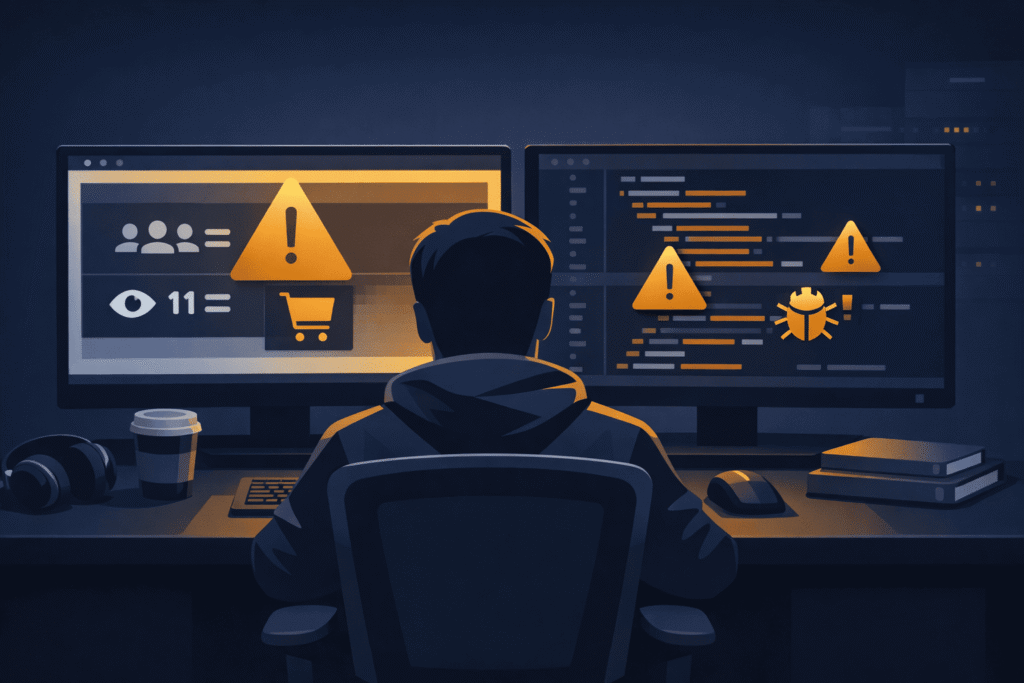
There is a particular kind of anxiety that settles in when a client watches a developer open the WordPress admin on a live site and start making changes. No staging environment. No backup confirmation. Just a cursor moving toward something that is currently serving real visitors, processing real orders, or running a real business.
That anxiety is not irrational. It is actually well-calibrated. Live site edits carry genuine risk — and the fact that they happen routinely in the industry does not make them safe. It makes them a habit worth examining carefully.
This article is for both sides of that conversation. For clients who feel uneasy but do not know how to push back. And for developers who have normalised live edits without fully accounting for what they are risking — and whose reputation is on the line when something breaks.
Why Clients Are Right to Be Cautious
The instinct that something could go wrong during a live edit is not paranoia. It is pattern recognition, often built from a previous bad experience — a site that went blank after a plugin update, a checkout that broke mid-campaign, a homepage that showed a PHP error for two hours before anyone noticed.
Live edits introduce risk at exactly the moment when the cost of failure is highest. The site is live. Users are on it. Search engines are crawling it. Transactions may be in progress. Any change made in this environment — however small it appears — is operating without a safety net.
The risks are real and worth naming specifically:
A plugin or theme update can break core functionality without warning.
WordPress updates are not always backward compatible. A plugin that worked perfectly with the previous version of WooCommerce may conflict with the new one. Without testing this in a staging environment first, the conflict is discovered by a customer who cannot complete their purchase.
A CSS or template edit can cascade into unintended layout breakage.
What appears to be a minor visual adjustment — changing a font size, adjusting padding, modifying a section template — can affect elements across multiple pages if the styles are shared. On a live site, visitors see the broken state in real time.
A settings change can silently disable a critical function.
Payment gateway settings, email notification configurations, form submission routing — these are areas where a single misconfigured field can stop something important from working without producing any obvious visual error. The site looks fine. The orders are not going through.
A database operation gone wrong is difficult to reverse quickly.
Any update involving data migration, bulk post editing, or database table modifications carries the risk of data loss or corruption. On a live site with no recent backup verified, recovery becomes a crisis rather than a routine rollback.
Clients who feel uneasy about live edits are picking up on something real. The question is not whether the risk exists — it does — but how it should be managed professionally.
The Developer’s Responsibility: Caution Is Not Optional
From a developer’s perspective, the comfort with live edits often comes from experience — having made hundreds of similar changes without incident. That experience is valuable. It is also a source of overconfidence that eventually catches up with people.
The absence of previous failures is not evidence that a process is safe. It is evidence that luck has held so far.
Professional web development has established practices for a reason. The instinct to “just make a quick change on live” should be treated as a signal to slow down, not a green light to proceed without preparation.
Always verify a backup exists before touching anything on a live site.
This is not a suggestion. A current, restorable backup should be confirmed before any non-trivial change is made. Not assumed — confirmed. Many developers can recall a moment where they assumed a backup existed and discovered it did not after something went wrong.
Assess the scope of the change honestly.
Not every live edit carries equal risk. Updating a text block in a page builder carries different exposure than updating WooCommerce on a store processing active transactions. The assessment should be honest, not optimistic. If the change touches core functionality, payments, user authentication, or database structure — it belongs in staging first.
Use maintenance mode deliberately, not as an afterthought.
When a live edit is genuinely necessary and carries meaningful risk, maintenance mode exists precisely for this scenario. A clean, branded maintenance page is far better for the user experience than a broken page that no one on the team notices for forty minutes.
Know when to stop and escalate.
If something unexpected happens mid-edit on a live site, the worst response is to keep trying fixes in the same environment. Stop. Restore the backup. Move the diagnosis to a safe environment. The pressure to fix it quickly on live often compounds the original problem.
Best Practices: What a Professional Update Process Looks Like
The conversation around live edits becomes more productive when both clients and developers understand what a professional update workflow actually looks like — not in theory, but in practice.
Changes are tested in staging before they reach production.
A staging environment that mirrors the live site is the baseline expectation for professional web work. Plugin updates, theme changes, code modifications, and configuration adjustments are validated there first. What passes in staging goes to production. What breaks in staging gets fixed before it ever reaches a real user.
Updates are scheduled, not spontaneous.
Maintenance windows exist for a reason. Routine updates — plugin refreshes, WordPress core updates, theme updates — should happen at a scheduled time, communicated in advance, during low-traffic periods. Not at 2pm on a Tuesday during peak traffic because the developer happened to log in and noticed updates were available.
Backups are taken immediately before any significant change.
Even with staging in place, a fresh backup taken minutes before a production deployment is a professional standard. It means the rollback point is clean and current, not a day-old snapshot that loses hours of orders or form submissions.
Deployments are documented.
What changed, when, by whom, and what was tested before it went live. This is not bureaucracy — it is accountability. When something unexpected happens after a deployment, documentation turns a chaotic debugging session into a structured investigation.
Post-update verification is part of the work, not an afterthought.
After any significant change goes live, the key functions of the site should be tested immediately. Homepage loads. Contact form submits. Checkout completes. Search returns results. This takes ten minutes and catches the majority of post-deployment issues before a client or customer discovers them.
Communication Timing: What Clients Should Be Told and When
One of the most preventable sources of client frustration during website updates is not the update itself — it is the silence around it. Clients who are not informed feel a loss of control. Clients who discover something changed on their site without being told feel something closer to a breach of trust.
Before the update:
Clients should know what is being updated, why it needs to happen, what risk level the developer has assessed, and when it is scheduled to occur. This does not require a lengthy report. A short, clear message — via email or a project management tool — covers it. What it should never be is silence followed by a notification that updates have been applied.
During high-risk updates:
If a change requires maintenance mode or carries meaningful risk of temporary disruption, the client should know in advance. Not in the middle of it — before it starts. This gives them the opportunity to pause any running campaigns, notify their team, or simply be available if something needs a quick decision.
After the update:
A brief confirmation that the update has been applied, what was changed, and that the site has been verified post-deployment. Again — not a lengthy technical report. A short, professional confirmation that the work is done and the site is functioning as expected.
This communication pattern costs very little time. Its absence costs trust — sometimes permanently.
What Clients Should Actually Ask Their Developer
If you are a business owner or site owner and you are unsure whether your developer is managing live updates safely, there are a few direct questions worth asking:
Do you test updates on a staging environment before pushing to the live site?
The answer should be yes, at minimum for significant changes. If the answer is vague, that is worth pressing on.
How are backups handled before updates?
There should be a clear, specific answer — not a general assurance that backups exist somewhere.
How will I be notified before and after updates are made to my site?
If there is no established communication process, this is a good moment to create one.
What happens if something breaks during an update?
The answer should describe a rollback process, not a troubleshooting-on-live-site approach.
These are not difficult questions. A developer working to a professional standard will answer them clearly and confidently. The answers tell you a great deal about the process behind the work.
The Underlying Point
Live site edits will always be part of web development. There are situations where they are genuinely necessary — emergency fixes, critical security patches, time-sensitive corrections that cannot wait for a staging cycle. The issue is not that they happen. The issue is when they become the default approach rather than the exception.
Clients are right to feel cautious. Developers should feel that same caution — not as a limitation, but as a professional standard. The sites being managed are not development sandboxes. They are running businesses, active storefronts, and operational tools that real people depend on.
Treating them accordingly — with proper process, honest communication, and appropriate caution — is what separates professional web work from risky improvisation.
What’s Next in This Series: Smart Web Decisions
This article is part of an ongoing series published every Monday and Thursday, focused on helping businesses, founders, and website owners make smarter web decisions before problems become expensive.
Many website issues begin long before development starts — during planning, hiring, budgeting, hosting decisions, or unclear project expectations. That’s why this series focuses on the practical side of web development decisions, not just the technical side.
In the coming articles, we’ll cover topics like:
- Questions to ask before starting an eCommerce website project
- Smart hiring decisions for small vs large business websites
- Domain and hosting mistakes that create long-term problems
- Why some websites become difficult to maintain and scale
- Common client mistakes developers notice immediately
- Website planning decisions that affect future performance and stability
The goal is simple: to help you approach web development with more clarity, better planning, and fewer costly mistakes. Whether you’re hiring a developer, managing a WordPress site, or planning a long-term digital project, each article in this series is designed to be practical, experience-driven, and easy to apply in real-world situations.
References & Further Reading
For deeper reading on the ideas covered in this article, these resources are worth your time:
- WordPress.org on Maintenance Mode and Site Updates
- WP Engine on WordPress Staging Environments and Safe Deployments
- Kinsta on How to Back Up a WordPress Site Before Updates
- WP Rocket on WordPress Maintenance Best Practices
- Smashing Magazine on Professional WordPress Deployment Workflows
- ManageWP on Safe Plugin Update Strategies for WordPress
- UpdraftPlus on Backup and Restore Best Practices