There is a message that developers dread and clients fear in equal measure: “The website is down.”
It arrives at the worst possible times — during a product launch, after a marketing campaign goes live, or on a Monday morning when no one is prepared to deal with it. And more often than not, the root cause is not a dramatic server failure or a cyberattack. It is something far more preventable: a misunderstanding of how web environments work, and what belongs in each one.
This article breaks down the difference between development and live (production) environments — why that distinction exists, what goes wrong when it is ignored, and how smarter environment management leads to fewer crises and more stable websites.
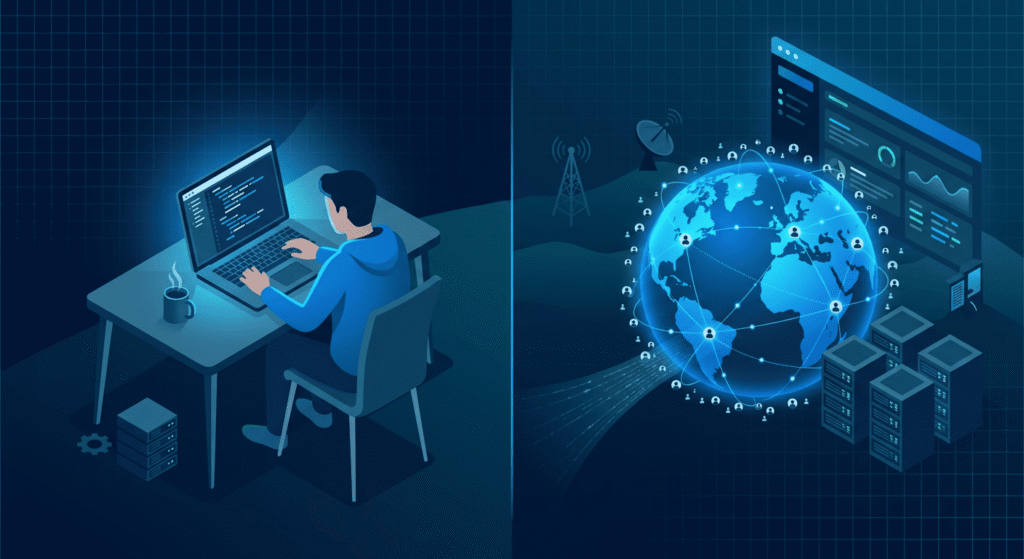
Two Worlds, One Website
Every professional web project — whether it is a WordPress site, a custom-built application, or an eCommerce platform — should exist in at least two separate states:
The development environment is where work happens. It runs locally on a developer’s machine or on a private staging server. No real users can access it. It is a sandbox — intentionally isolated so that changes, experiments, and fixes can be tested without consequences.
The live environment (also called production) is the version your users actually see. It is connected to your real domain, your real database, and in many cases, your real payment gateway, email system, and CRM. Anything that breaks here, breaks publicly.
The moment these two environments are confused — or worse, when there is only one — everything becomes fragile.
Why Websites Go Down: The Environment Problem
When a developer makes a change directly on the live server without testing it first, they are essentially performing surgery on a patient who is wide awake and receiving visitors. One wrong move and the site crashes, a form stops working, or the checkout process quietly breaks without anyone noticing until orders stop coming in.
Some of the most common causes of live site failures that trace back to environment mismanagement:
Untested plugin or theme updates. A plugin update that works perfectly in isolation can conflict with another plugin already installed. Without a staging environment to catch this, updates go live and break things immediately.
Database schema changes pushed without migration scripts. If a developer alters a database table structure on the live site without accounting for existing data, records can become unreadable or the site can fail entirely.
PHP version mismatches. The development machine runs PHP 8.2. The live server runs PHP 7.4. Code that works perfectly locally throws fatal errors in production. This is a classic environment mismatch that is entirely avoidable with proper staging parity.
Hard-coded local paths and environment-specific configuration. A developer writes a file path or API key that works on their machine. It gets pushed to production. The site breaks because the path does not exist on the server.
Missing environment variables. Modern applications use .env files to store sensitive configuration — database credentials, API keys, mail server settings. When a deployment process does not carry these over correctly, the live site has no idea how to connect to anything.
The Three-Environment Standard
Serious web projects — and even moderately complex WordPress sites — benefit from operating across three environments, not just two:
Local (Development): The developer’s own machine. Fast iteration, no consequences, full control. This is where new features are built and bugs are first diagnosed.
Staging: A private server that mirrors the live environment as closely as possible — same PHP version, same server configuration, same database structure (often populated with anonymized production data). This is where changes are tested before anyone outside the team sees them.
Production (Live): The real site. Changes only reach here after passing through staging. Deployments are controlled, documented, and ideally automated through a pipeline that removes human error from the equation.
For WordPress specifically, tools like WP Staging, Duplicator, or managed hosting environments from providers like Kinsta, WP Engine, or GridPane make maintaining staging environments significantly more accessible — even for smaller projects.
What Business Owners Need to Understand
If you are not a developer but you manage a website or commission web work, there are a few things worth knowing clearly.
Ask your developer whether a staging environment exists. If the answer is no, or if the answer is vague, that is a red flag. It does not mean the developer is incompetent — but it does mean your live site is being used as the testing ground, and that carries real risk.
“I’ll just fix it on the live site quickly” is how websites break. Quick fixes made directly in production, without testing, are one of the leading causes of unexpected downtime. What seems like a small CSS change can cascade into something worse if the wrong file gets touched.
Downtime has a business cost. An eCommerce site that is down for two hours during peak traffic loses real revenue. A broken contact form means lost leads that never come back. Understanding environments is not a technical nicety — it is a business continuity issue.
What Developers Should Be Doing
From a development practice standpoint, a few principles make environment management reliable rather than reactive:
Environment parity matters. Your staging environment should match production as closely as possible — server software, PHP version, web server type (Apache vs Nginx), caching layers, and even SSL configuration. Differences between environments are where bugs hide.
Use version control for everything. Git is not optional in professional web development. Every change should be tracked, every deployment should come from a repository, and rollbacks should be possible without panic.
Automate deployments where possible. Manual FTP uploads to a live server in 2025 are a liability. CI/CD pipelines — even simple ones using GitHub Actions or Bitbucket Pipelines — bring consistency and reduce the chance of a missed file or overwritten configuration.
Keep environment-specific configuration out of your codebase. Database credentials, API keys, and environment flags belong in environment variables, not in committed code. This is both a security and a stability concern.
The Takeaway
When a website goes down unexpectedly, the cause is rarely mysterious. Somewhere in the process, a change was made without adequate testing, or an assumption was made about how two environments would behave identically when they were not set up to be.
The development vs live distinction is not bureaucratic overhead — it is the foundation of a stable, maintainable web presence. Whether you are a business owner asking better questions of your developer, or a developer building better habits into your workflow, understanding this separation is one of the most practical investments you can make in your website’s long-term health.
Fewer surprises. Fewer crashes. Fewer Monday morning emergencies.
That is what good environment management looks like in practice.
What’s Next in This Series: Smart Web Decisions
This article is part of an ongoing series published every Monday and Thursday, focused on helping businesses, founders, and website owners make smarter web decisions before problems become expensive.
Many website issues begin long before development starts — during planning, hiring, budgeting, hosting decisions, or unclear project expectations. That’s why this series focuses on the practical side of web development decisions, not just the technical side.
In the coming articles, we’ll cover topics like:
- Questions to ask before starting an eCommerce website project
- Smart hiring decisions for small vs large business websites
- Dynamic vs static websites: what actually matters
- Domain and hosting mistakes that create long-term problems
- Why some websites become difficult to maintain and scale
- Common client mistakes developers notice immediately
- Website planning decisions that affect future performance and stability
The goal is simple: to help you approach web development with more clarity, better planning, and fewer costly mistakes. Whether you’re hiring a developer, managing a WordPress site, or planning a long-term digital project, each article in this series is designed to be practical, experience-driven, and easy to apply in real-world situations.
References & Further Reading
For deeper reading on the ideas covered in this article, these resources are worth your time:
- WordPress.org on Staging Environments and Testing
- WP Engine on What a Staging Site Is and Why You Need One
- Kinsta on Development, Staging, and Production Environments
- GitHub Docs on CI/CD with GitHub Actions
- 12factor.net on Config and Environment Variables
- Smashing Magazine on WordPress Deployment Workflows
- PHP.net on Version Migration and Compatibility