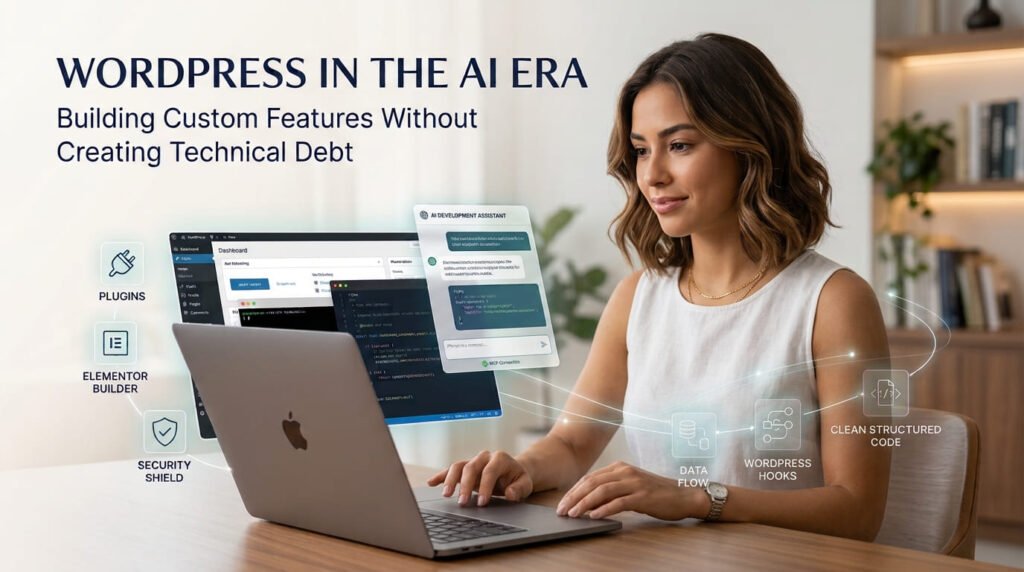
Artificial intelligence is changing how developers approach AI-assisted WordPress development. A developer can now ask an AI assistant to create a custom function, explain a WordPress hook, build a plugin structure, troubleshoot an Elementor component, or connect a website with an external service.
Tasks that once required extensive research and manual coding can begin with a simple description of the requirement.
But generating code is not the same as building a maintainable WordPress solution.
A custom function may work today but create conflicts after a plugin update. A JavaScript snippet may improve one Elementor widget but interfere with another. A plugin may deliver the requested feature while introducing unnecessary dependencies, security weaknesses, or a structure that becomes difficult to maintain.
The challenge in the AI era is not simply learning how to generate WordPress code. It is learning how to use AI while respecting WordPress architecture, hooks, plugin standards, compatibility, and long-term maintenance.
1. AI-Assisted WordPress Development Starts With the Right Implementation
One of the most common mistakes in WordPress development is asking AI to generate code before deciding where that code belongs.
Consider a simple requirement:
A client wants to add a custom message below WooCommerce product prices.
AI can generate a PHP function for this in seconds. But the implementation decision still matters.
Should the functionality be placed in:
- A child theme?
- A custom plugin?
- An existing plugin’s extension mechanism?
- A reusable WooCommerce integration?
The answer depends on the purpose and expected lifetime of the feature.
A useful rule is to separate presentation from functionality.
Child theme: Appropriate for customizations closely connected to a particular theme.
Custom plugin: Usually better for functionality that should continue working when the website changes its theme.
Existing plugin or extension: Worth considering when a maintained solution already provides the required functionality.
Page builder custom code: Suitable for targeted presentation or browser-side interactions when the functionality genuinely belongs in the builder.
Avoid editing WordPress core files or modifying a third-party plugin directly. Those changes can disappear during updates.
Before generating code, give AI the actual requirement, the relevant WordPress and PHP versions, the existing environment, and the expected behaviour. Ask it to recommend the implementation location and explain the trade-offs before writing the code.
That small planning step can prevent a great deal of unnecessary rework.
2. Using WordPress Hooks Correctly With AI
Hooks are fundamental to WordPress development. They allow developers to interact with WordPress Core, themes, and plugins without directly modifying their source files.
There are two main types:
Actions (add_action)
Actions allow code to execute at a particular point in the WordPress execution process.
For example, a developer might use an action to register a custom post type, enqueue a script, or perform a task when an order reaches a particular status.
Filters (add_filter)
Filters allow developers to modify data before it is returned or displayed.
For example, a developer might use a filter to modify an excerpt, change a displayed product value, or adjust content before it reaches the browser.
AI can explain hooks, suggest suitable hook names, generate callbacks, and help developers understand the order in which callbacks execute.
However, a generated callback is not automatically the right callback for the requirement.
Before using AI-generated hook code, check:
- Is the selected hook appropriate for the intended operation?
- Is the callback receiving the expected arguments?
- Is the priority appropriate?
- Does the callback return the modified value when using a filter?
- Could the callback execute more often than expected?
- Does the implementation create duplicate registrations?
- Does it conflict with another plugin or theme?
Naming is another important consideration. Use a unique prefix for custom functions, hooks, and related identifiers to reduce naming collisions.
For example, a project-specific prefix such as mh_ is more suitable than a generic function name such as custom_function().
For larger projects, namespaces and class-based organization can provide an additional layer of structure.
AI can help explain and generate these patterns, but developers should verify the actual hook and its arguments against the official WordPress documentation.
3. From Custom Functions to Maintainable Plugin Architecture
A small custom function is not necessarily a problem. The problem begins when a website accumulates unrelated snippets without a clear structure.
Imagine a website with several custom features:
- A custom shortcode.
- An API integration.
- A WooCommerce checkout adjustment.
- An admin settings page.
- A scheduled background task.
- A custom post type.
- A frontend JavaScript component.
Putting every feature into one large PHP file may seem convenient initially. Over time, it becomes harder to identify responsibilities, locate errors, reuse functionality, and make changes safely.
This is where plugin architecture becomes important.
A simple plugin might start with:
my-custom-plugin/
│
├── my-custom-plugin.php
├── uninstall.php
│
├── includes/
│   ├── class-core.php
│   ├── class-hooks.php
│   └── class-integrations.php
│
├── admin/
│   ├── class-settings.php
│   ├── css/
│   └── js/
│
├── public/
│   ├── css/
│   └── js/
│
└── readme.txt
This is an example, not a mandatory structure for every plugin.
A small single-purpose plugin may need only a few files. A larger product may benefit from separate classes, services, interfaces, and additional modules.
The architecture should reflect the actual complexity of the project.
AI can help propose a folder structure, separate responsibilities, generate class files, and explain how components communicate. But avoid asking it to create an unnecessarily complicated architecture for a simple feature.
A useful development sequence is:
- Define the feature and its expected behaviour.
- Decide whether it belongs in an existing plugin or a new one.
- Plan the minimum suitable architecture.
- Build one component at a time.
- Review dependencies and interactions.
- Test the complete functionality.
- Document how the feature works.
This is particularly valuable when a small custom function begins to evolve into a reusable WordPress product.
For a practical example of this development direction, consider AI and WordPress Development: From Custom Functions to Plugin Ideas.
4. Elementor, Bricks, and the Risk of AI-Generated Custom Code
Page builders make it easier to create sophisticated WordPress interfaces, and AI can accelerate that process.
Developers can ask AI to generate pricing calculators, tabs, accordions, custom forms, interactive sections, CSS effects, and JavaScript functionality.
However, copying complete snippets into multiple page-builder widgets can introduce technical debt.
Consider an Elementor page with three custom components. Each widget contains its own HTML, CSS, and JavaScript.
Initially, everything works.
Later, a developer modifies one component and copies updated CSS into another widget. A third widget contains a similar JavaScript function. The page now has overlapping selectors, repeated event handlers, and several versions of the same logic.
Possible consequences include:
- CSS rules overriding one another.
- Generic selectors affecting unrelated elements.
- JavaScript event handlers executing more than once.
- Duplicate functions or global variables.
- Inconsistent behaviour across pages.
- Difficult debugging and future updates.
The solution is not to avoid custom code. It is to manage it deliberately.
A better approach to Elementor custom functionality
Use unique wrapper classes and scoped selectors. Avoid applying broad styles to generic elements when the change is intended for one component.
Separate reusable CSS and JavaScript when the same functionality appears across multiple pages. Load assets where they are needed rather than repeatedly embedding complete implementations.
Use an appropriate initialization strategy so that components do not attach duplicate event listeners when scripts are loaded or executed more than once.
Test the complete page after introducing a component. A widget working independently does not prove that it works correctly alongside the rest of the website.
Elementor’s own custom-code and widget-development documentation can help developers understand how to organize and load assets.
What about Bricks?
The same principles apply to Bricks Builder.
A visual builder can provide structured elements, reusable components, design systems, and dynamic content. But developers still need to understand the underlying implementation, CSS, JavaScript, data relationships, and interactions with other plugins.
Bricks 2.4 also introduces experimental AI Abilities that allow compatible AI agents to interact with parts of a Bricks website through MCP.
This is an interesting development, but it makes code and change review even more important. A tool that can modify a website directly should be tested in a controlled environment before it is trusted with production changes.
The broader lesson is that AI-generated builder content should remain understandable, reusable, and manageable—not simply visually correct.
5. Compatibility, Security, and Maintainability Must Be Part of the Prompt
One reason AI-generated WordPress code creates problems is that developers often provide incomplete technical context.
A request such as “Create a custom WordPress plugin” does not explain:
- Which WordPress version is being used.
- Which PHP version is supported.
- Whether WooCommerce or another plugin is involved.
- Whether the feature requires an external API.
- Which user roles can access it.
- Whether the functionality needs to work on the frontend, backend, or both.
Without this information, AI may make assumptions that do not match the actual website.
Compatibility checks
Before accepting a generated implementation, consider:
WordPress compatibility: Does it use supported WordPress APIs and functions?
PHP compatibility: Does the code use syntax and functions supported by the minimum PHP version?
Plugin compatibility: Does it depend on another plugin, and what happens if that dependency is missing or disabled?
Theme compatibility: Does the functionality rely on theme-specific markup or behaviour?
JavaScript compatibility: Are the scripts loaded correctly, and do they depend on libraries that are actually available?
Database compatibility: Are queries, data types, and schema changes appropriate for the intended environment?
Security checks
WordPress development also requires attention to:
- Input validation and sanitization.
- Output escaping.
- Nonce verification for relevant requests.
- Capability checks and authorization.
- Prepared database queries.
- Secure API authentication.
- Safe handling of application passwords and other secrets.
These controls have different purposes. For example, a nonce is not a replacement for checking whether a user has permission to perform an action.
AI can suggest security improvements, but developers must verify that the implementation protects the actual operation and data involved.
Maintainability checks
A feature should not only work today. Another developer should be able to understand it later.
Use clear naming, sensible file organization, appropriate comments, documentation, version control, and tests.
Avoid unnecessary dependencies and duplicated logic. Record important compatibility requirements and changes between releases.
For more on evaluating generated code before using it, see Smart Coding Decisions: Don’t Use Code You Don’t Understand.
6. MCP: A New Way for AI Agents to Work With WordPress
So far, much of AI-assisted WordPress development has involved asking an AI assistant to generate code, reviewing it, and manually adding it to a website.
Model Context Protocol (MCP) introduces another approach.
MCP is an open protocol that allows compatible AI clients to discover and interact with tools and capabilities exposed by external systems.
In a WordPress workflow, this can allow an AI agent to do more than suggest code. Depending on the integration and permissions, it may inspect website information, interact with registered functionality, or make changes through supported tools.
Several developments make this particularly relevant to WordPress developers.
WordPress MCP Adapter: The official WordPress MCP Adapter connects registered WordPress Abilities with MCP. This provides a way for AI agents to discover and use defined WordPress functionality.
Elementor MCP: Elementor’s official integration allows supported external AI clients to work with Elementor’s native editor structures and website-building capabilities. Its current documentation specifies WordPress 6.8+ and Elementor 4.3.0+ requirements.
Bricks AI Abilities: Bricks 2.4 introduces experimental AI Abilities that MCP-compatible clients can use to interact with parts of a Bricks website, including templates, elements, design systems, and dynamic data.
This changes the development workflow. Instead of generating a disconnected snippet and manually transferring it into a website, an AI agent may be able to interact with the actual WordPress environment through defined capabilities.
But direct access introduces responsibilities.
Use restricted permissions, understand which abilities are exposed, protect credentials, and test changes on a local or staging website first. Keep human review and approval in the workflow, especially before publishing or modifying production data.
MCP is an important emerging part of WordPress development, but it deserves a deeper discussion of its own.
In an upcoming article, I will explore WordPress MCP in more detail, including Elementor MCP, Bricks AI Abilities, the WordPress MCP Adapter, other useful integrations, practical workflows, setup considerations, and security implications.
7. A Practical AI-Assisted WordPress Development Workflow
Whether you are building a custom function, extending WooCommerce, developing an Elementor component, or creating a complete plugin, the objective should remain the same: deliver a reliable solution without creating unnecessary technical debt.
A practical workflow looks like this:
1. Understand the requirement
Define the problem, expected behaviour, users, and limitations.
2. Inspect the existing website
Review its theme, plugins, versions, existing custom code, and relevant integrations.
3. Plan before generating
Ask AI to compare implementation options and explain where the functionality should live.
4. Build incrementally
Generate smaller, reviewable components instead of requesting a complete untested implementation.
5. Review the code
Understand the hooks, callbacks, dependencies, data handling, and execution flow.
6. Check compatibility and security
Verify supported versions, permissions, sanitization, escaping, dependencies, and potential conflicts.
7. Test the complete environment
Use local or staging environments, test edge cases, inspect logs, and check frontend and backend behaviour.
8. Document and maintain
Keep code understandable, record changes, and plan for future updates.
You can also ask AI to assist with this review using a structured prompt:
I am developing a custom feature for an existing WordPress website.
Before generating or modifying code:
- Analyse the requirement and identify the appropriate WordPress implementation method.
- Review the relevant hooks, APIs, and existing architecture.
- Identify possible conflicts with the active theme, plugins, and existing custom code.
- Consider WordPress and PHP version compatibility.
- Identify security, performance, and maintainability risks.
- Propose a minimal implementation plan and explain the trade-offs.
After implementation, explain the code, list the files changed, identify dependencies, and provide a practical testing checklist.
Do not assume that generated code is production-ready. Identify anything that requires verification.
The prompt does not replace technical review. It helps make the development conversation more structured and encourages AI to consider the environment before producing code.
Final Thoughts
AI is making WordPress development more accessible, but it is also changing what developers need to pay attention to.
Generating a custom function is becoming easier. Understanding where it belongs, how it interacts with existing code, whether it is secure, and how it will behave after future updates remains essential.
The same applies to page builders, plugins, hooks, APIs, and emerging MCP integrations.
The goal should not be to generate more code in less time. It should be to build better solutions with less unnecessary complexity.
AI can generate the implementation. Developers must protect the architecture, compatibility, and maintainability.
DIAGNOSE → PLAN → BUILD → TEST → OPTIMIZE
About the Author
Mirza Hadi Baig is a full-stack WordPress developer, technical problem solver, and AI SEO & GEO strategist with 17+ years of experience across technology, IT education, healthcare information systems, and web development. His work focuses on WordPress and WooCommerce development, custom plugins and integrations, technical troubleshooting, website performance, and practical applications of AI in software development. He continues to explore emerging technologies and build digital tools that solve real-world problems.