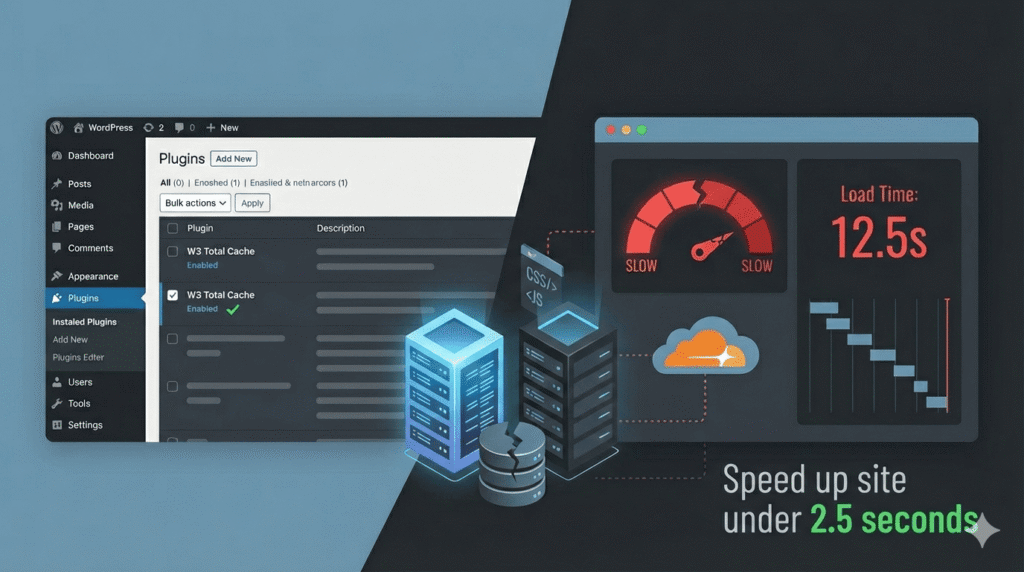
Website speed is no longer a luxury metric. It directly impacts search rankings, user experience, ad performance, and conversion rates. A delay of even one or two seconds can significantly reduce engagement. That’s why performance optimization has become one of the most discussed topics in WordPress development.
So when a site feels slow, most people install a caching plugin and expect dramatic improvement.
Sometimes they see a small boost in test scores. Sometimes they don’t. But in many cases, the website still feels sluggish in real-world usage.
That’s because caching is not a complete performance solution.
It addresses only one layer of a multi-layered system.
If your WordPress site is still extremely slow after installing a caching plugin, the real problem is likely structural — not configurable.
Let’s examine the deeper causes.
The Misconception: Caching Is a Complete Performance Solution
Caching plugins work by generating static versions of your pages. Instead of rebuilding content dynamically on every request, the server serves a pre-generated version. This reduces PHP execution time and database queries for anonymous users.
But caching only improves repeated delivery of content. It does not fix inefficient hosting, poorly optimized themes, excessive plugins, large media files, or complex database operations.
If your site architecture is bloated, caching simply delivers that bloated version faster. The core inefficiencies remain.
Caching is a layer of optimization — not the foundation.
1. Shared Hosting Limitations: The Hidden Bottleneck
One of the most overlooked performance issues is hosting quality. On shared hosting environments, your website competes with dozens or even hundreds of other sites for CPU, RAM, and disk I/O resources.
Even if caching reduces page generation time, the server itself may respond slowly due to resource constraints. This results in high Time To First Byte (TTFB), inconsistent loading times, and random performance spikes.
Shared hosting limitations often manifest as:
- Slow admin dashboard
- Delayed response during traffic peaks
- Sluggish database operations
- Background tasks causing performance dips
Caching cannot compensate for underpowered infrastructure. If the server is weak, every request — cached or not — suffers.
Performance starts at the infrastructure level.
2. Theme Bloat and Excessive Frontend Assets
Many WordPress themes prioritize design flexibility over performance efficiency. They include visual builders, animation frameworks, global CSS libraries, icon packs, and multiple JavaScript dependencies — most of which are loaded on every page whether needed or not.
When a browser loads a page, it must download and process all associated assets. If a single page requires several megabytes of CSS and JavaScript, rendering becomes slow regardless of caching.
Heavy themes often cause:
- Render-blocking CSS
- Large DOM structures
- Unused style declarations
- Excessive script execution
Caching may deliver the page faster from the server, but the browser still struggles to render it efficiently.
Frontend weight is just as critical as backend performance.
3. Plugin Overload and Background Processes
Plugins extend WordPress functionality, but each one adds complexity. Many plugins introduce additional database queries, background tasks, scheduled events, and external API calls.
Some common performance drains include:
- Security scans running continuously
- Backup processes compressing large files
- Analytics scripts loading multiple trackers
- E-commerce extensions increasing query depth
Even if frontend pages are cached, the backend continues executing these operations. Logged-in sessions, dynamic pages, and admin interactions bypass cache entirely.
Over time, plugin overload increases execution complexity and slows the entire system.
Performance optimization often starts with reduction — not addition.
4. Database Fragmentation and Autoloaded Data
WordPress databases accumulate data over time: post revisions, transients, expired metadata, plugin leftovers, and orphaned options. Many plugins store configuration data as autoloaded options, which load on every page request.
If the database becomes bloated or poorly indexed, query execution slows significantly. This affects not only dynamic pages but also administrative functions.
Common database-related performance issues include:
- Excessive autoloaded rows
- Unoptimized tables
- Slow query execution
- Large wp_options entries
Caching hides some query overhead for visitors, but it does not eliminate database inefficiencies entirely.
A poorly maintained database weakens performance at its core.
5. Render-Blocking CSS and JavaScript
Even when server response time improves, the user may still experience slow loading due to frontend rendering delays.
Browsers must download and process CSS before displaying content. JavaScript execution can block rendering if not deferred properly. Many WordPress sites load scripts globally — even when only needed on specific pages.
Common frontend rendering issues include:
- Large CSS frameworks loaded universally
- jQuery-dependent plugins on simple pages
- Sliders and animations running on load
- Third-party scripts blocking rendering
Caching does not alter how browsers interpret and execute assets.
True performance requires minimizing and strategically loading resources.
6. CDN or Cloudflare Misconfiguration
Adding a CDN like Cloudflare can reduce latency by serving static assets from geographically closer locations. However, improper configuration can create new bottlenecks.
Misconfigured CDNs may result in:
- Conflicting cache headers
- Double compression
- SSL mismatches
- Cache bypass on dynamic pages
- DNS propagation delays
A CDN improves network-level delivery. It does not solve inefficient backend logic or heavy frontend architecture.
When layered incorrectly, it can even introduce complexity instead of speed.
7. Image Optimization and Media Weight
Media files are often the largest contributors to page size. Uploading oversized images without compression dramatically increases load time.
Many sites use high-resolution images far larger than necessary. Others rely on outdated formats without modern compression.
Common media-related issues include:
- No image resizing
- PNG files where WebP would suffice
- Background videos without optimization
- No lazy loading
Even a perfectly cached page loads slowly if it carries unnecessary media weight.
Optimized images and controlled media usage significantly impact real-world performance.
Performance Is Layered — Not Singular
Website speed depends on multiple interconnected layers:
- Hosting performance
- Application efficiency
- Database optimization
- Frontend asset management
- Network delivery
- Media compression
Caching addresses only part of this structure. When one layer is inefficient, overall performance degrades.
True optimization requires system-level thinking.
Performance is not a plugin toggle. It is architectural discipline.
Closing Insight: Treat Speed as an Engineering Responsibility
If your WordPress site is still slow after installing a caching plugin, the plugin is not the failure point.
The system is.
Speed improvements require evaluating infrastructure, simplifying architecture, auditing plugins, optimizing databases, minimizing assets, and configuring delivery layers correctly.
Caching is one tool among many.
When you approach performance like an engineer — analyzing layers, identifying bottlenecks, and refining systems — results become measurable and sustainable.
Key Takeaways
- Caching improves delivery, not architecture.
- Hosting quality directly affects response time.
- Heavy themes increase frontend rendering delays.
- Plugin overload adds execution complexity.
- Databases require regular optimization.
- CDNs must be configured correctly to help.
- Media weight significantly impacts load speed.
Website speed is not a feature you enable.
It is a system you design.
References & Further Reading
For readers who want deeper technical understanding of WordPress performance architecture:
- WordPress Developer Resources – Official documentation on performance best practices
https://developer.wordpress.org/ - Google PageSpeed Insights – Analyze Core Web Vitals and render-blocking issues
https://pagespeed.web.dev/ - GTmetrix – Detailed waterfall and performance diagnostics
https://gtmetrix.com/ - Cloudflare Learning Center – CDN and caching configuration guides
https://www.cloudflare.com/learning/ - Google Web.dev Performance Guides – Advanced frontend optimization techniques
https://web.dev/performance/ - PHP Official Documentation – Performance improvements in modern PHP versions
https://www.php.net/docs.php
Get a Free WordPress Speed Audit
If your WordPress site is still loading slowly after installing optimization plugins, the issue goes deeper than caching. I help businesses identify real performance bottlenecks — from hosting limitations to theme and database inefficiencies — and implement structured speed optimization strategies.
Start with a free site audit and discover what’s actually slowing your website down.
Let’s audit and fix your WordPress performance properly:
👉 https://hadi-mirza.com/contact/