
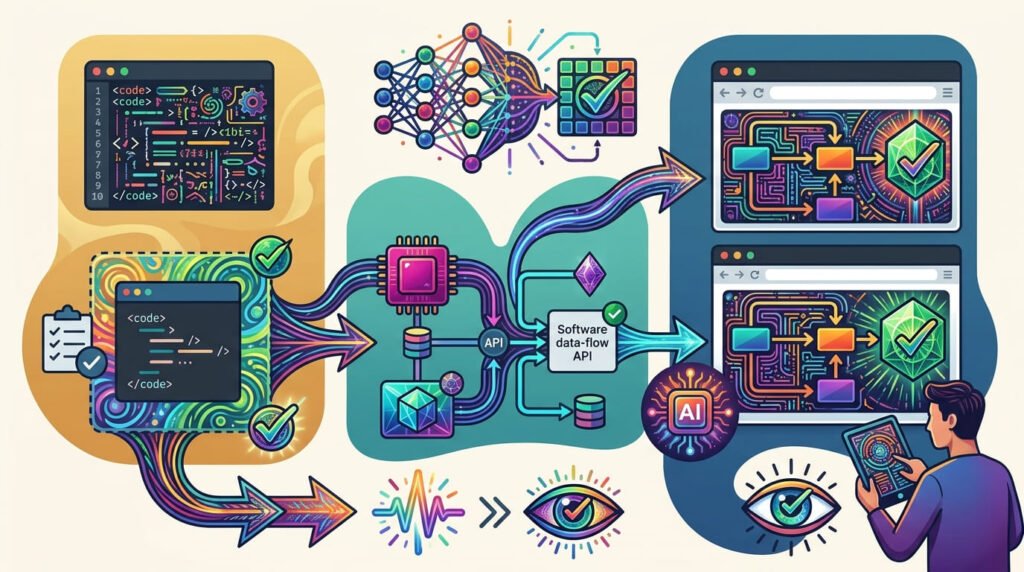
Writing code is only one part of software development. Developers must also verify that an application behaves as expected, handles unexpected situations, and continues working after changes.
This is where AI-assisted testing can make a practical difference.
AI can help developers convert requirements into test scenarios, identify missing edge cases, generate unit tests, prepare integration tests, and automate end-to-end workflows. It can also explain test failures and suggest improvements to existing test suites.
However, generating a large number of tests does not automatically improve software quality. A test can execute successfully while checking the wrong behaviour. An assertion can confirm an incorrect expected result. A test suite can report success while important requirements remain untested.
The real challenge is to create tests that provide meaningful evidence about application behaviour.
In this article, we will explore how developers can use AI to turn requirements into unit, integration, and end-to-end tests, prepare realistic test data, handle flaky tests, and verify AI-generated test code before trusting the results.
1. AI-Assisted Testing Starts With Understanding Requirements
Before generating tests, developers need to understand what the application is supposed to do.
Consider a simple requirement:
“A registered user can reset their password using their email address.”
This sounds straightforward, but it contains several behaviours that need verification.
- A registered user should be able to request a password reset.
- An appropriate response should be displayed after submitting a valid email.
- The reset process should use a secure, time-limited token.
- An invalid or expired token should not allow a password change.
- A successfully changed password should work for authentication.
- The previous password should no longer work.
There are also questions about rate limiting, repeated requests, token reuse, and how the system responds to unexpected input.
If a developer asks AI to “write password reset tests” without providing the actual requirements, AI may generate tests based on assumptions.
Some may be useful. Others may test behaviour the application does not implement.
Convert requirements into testable conditions
A better starting point is to break each requirement into:
Expected behaviour: What should happen?
Preconditions: What must be true before the operation?
Input: What information does the user or system provide?
Expected result: What should the application return or display?
Failure conditions: What should happen when something goes wrong?
Verification: How can the result be confirmed?
This creates a connection between requirements and test cases.
For example:
Requirement: A user can reset their password with a valid reset token.
Preconditions: The user has requested a password reset and received a valid token.
Input: A valid token and a new password that meets the application’s requirements.
Expected result: The password is updated and the user can authenticate with the new password.
Failure conditions: An expired, invalid, or previously used token must not change the password.
Verification: Confirm the password update and test authentication with both the new and old passwords.
AI can help turn this information into a structured test plan. The developer must confirm that the plan reflects the actual product requirements.
2. Build the Test Pyramid: Unit, Integration, and End-to-End Tests
Not every requirement needs to be tested through a complete browser workflow.
Different testing levels answer different questions.
A useful starting model is the testing pyramid: many focused unit tests, a smaller number of integration tests, and a limited set of end-to-end tests for important user journeys.
This is a guideline rather than a fixed percentage. The right distribution depends on the architecture, risk, and complexity of the application.
Unit tests: Verify individual pieces of logic
A unit test checks a small piece of functionality in isolation.
For example, imagine an application contains a function that calculates a discount:
function calculateDiscount(price, percentage) {
    return price * (percentage / 100);
}
A basic test could look like this:
test('calculates a 20 percent discount', () => {
    expect(calculateDiscount(100, 20)).toBe(20);
});
This checks one expected result.
But a stronger unit test suite should consider additional conditions:
- Zero discount.
- Full discount.
- Decimal values.
- Negative values, if they are invalid.
- Invalid input types.
- Values outside permitted limits.
AI can generate these cases quickly, but the developer must decide which inputs are valid and what the expected behaviour should be.
Unit tests are particularly useful for calculations, formatting functions, validation rules, data transformations, and business logic.
They are generally fast and help identify problems close to their source.
Integration tests: Verify that components work together
Individual components may work correctly in isolation but fail when connected.
Consider an application that processes an order.
Its workflow may involve:
- A checkout form.
- An order-processing service.
- A database.
- A payment gateway.
- An order confirmation system.
A unit test might verify the calculation of an order total. An integration test could verify that the order-processing service saves the correct order information and handles the response from a payment service.
Integration tests focus on the boundaries between components.
Useful scenarios include:
- A service receives the expected data from another component.
- A database operation saves and retrieves the correct information.
- An API response is interpreted correctly.
- A failed external service produces an appropriate error.
- A transaction handles a failure without leaving inconsistent data.
AI can help identify component boundaries and propose integration scenarios. However, developers must decide which dependencies should be real and which should be replaced with controlled test doubles.
Using mocks for everything can create false confidence because the test may verify an invented response rather than the behaviour of the real integration.
End-to-end tests: Verify complete user journeys
End-to-end (E2E) tests simulate important workflows from the user’s perspective.
For example, an online store might have an E2E test that:
- Opens a product page.
- Adds a product to the cart.
- Proceeds to checkout.
- Enters customer information.
- Completes a test payment.
- Verifies that the order confirmation appears.
This tests multiple parts of the application together.
E2E tests are valuable because they reveal problems that smaller tests may not detect. However, they are usually slower and more expensive to maintain.
A large suite of browser tests can also become fragile when interfaces, dependencies, or test environments change.
Use E2E tests strategically for critical user journeys, high-risk operations, and important business workflows.
For more on this layered approach, see the software testing pyramid guidance and Microsoft’s testing strategy.
3. Turn Test Scenarios Into Meaningful Test Cases
A test scenario describes what needs to be checked. A test case provides the specific conditions, input, action, and expected result.
Consider a registration form.
Scenario: A new user can register with valid information.
A useful test case would include:
- Test data: A unique email address and a valid password.
- Action: Submit the registration form.
- Expected result: The account is created and the user receives the appropriate confirmation.
Another scenario:
Scenario: The registration form rejects an email address that is already registered.
- Test data: An email address belonging to an existing account.
- Action: Submit the registration form.
- Expected result: Registration is rejected with an appropriate response, and no duplicate account is created.
The important part is the assertion.
A test should not merely click the registration button and finish. It should verify that the expected behaviour occurred.
Use Arrange, Act, and Assert
A simple structure for writing tests is:
Arrange: Prepare the required data and environment.
Act: Perform the operation being tested.
Assert: Verify the actual result against the expected result.
For example:
test('adds two numbers correctly', () => {
    // Arrange
    const firstNumber = 10;
    const secondNumber = 5;

    // Act
    const result = add(firstNumber, secondNumber);

    // Assert
    expect(result).toBe(15);
});
This structure keeps tests understandable and helps developers identify what is being tested.
AI can generate test code using this pattern, but the developer should review whether the assertion proves the requirement rather than simply repeating the implementation.
4. Edge Cases: Test Beyond the Expected Input
One of the most useful applications of AI in testing is identifying edge cases.
Developers naturally begin with common scenarios. A form accepts valid information, a calculator processes normal values, or an API returns a successful response.
But real applications also receive unexpected input and encounter unusual conditions.
Consider a file upload feature.
A basic test may verify that a valid image uploads successfully.
Additional cases should consider:
- An empty file.
- A file exceeding the permitted size.
- An unsupported file format.
- A file with an unexpected extension.
- A corrupted file.
- A filename containing special characters.
- Two uploads using the same filename.
- A network interruption during upload.
- A user without upload permissions.
Each case tests a different aspect of the feature.
Useful categories of edge cases
Boundary values: Test minimum, maximum, and values immediately around those limits.
Empty values: Check missing fields, empty strings, empty arrays, and null values where relevant.
Invalid types: Provide text where a number is expected or an object where a string is required.
Unusual formats: Consider Unicode characters, whitespace, long strings, special characters, and different date formats.
State changes: Test repeated submissions, expired sessions, duplicate operations, and interrupted workflows.
Permission boundaries: Check what happens when users have insufficient privileges or attempt operations they should not access.
Dependency failures: Test timeouts, unavailable services, unsuccessful responses, and malformed data from external systems.
Ask AI to challenge the test plan
Instead of asking AI only to generate more test cases, ask it to review the requirement and identify what could go wrong.
For example:
“Review this registration requirement. Identify boundary conditions, invalid inputs, duplicate submissions, permission issues, and failure scenarios. Explain why each case matters and suggest an expected result.”
This approach can uncover gaps that are easy to overlook.
However, not every theoretically possible input deserves a separate test. Prioritize cases according to business impact, security risk, likelihood, and the complexity of the implementation.
5. Test Data: Control What Goes Into Your Tests
Even well-written tests can produce misleading results when their data is unreliable.
Consider an integration test that creates a user account using the same email address every time.
The first execution succeeds. The second fails because the account already exists.
The application may be working correctly, but the test is not independent.
Test data should be deliberate, predictable, and controlled.
Use realistic but isolated data
A useful test dataset should represent the conditions the application is expected to handle.
For an online store, this might include:
- A product with a normal price.
- A product with a discounted price.
- A product with no stock.
- A customer with an existing order.
- A customer without an order history.
- An order with multiple items.
- An order with an invalid payment response.
Use dedicated test accounts, databases, and services rather than production customer information.
Avoid shared state between tests
Each test should establish the conditions it needs and clean up after itself.
Do not assume that another test has already created a user, product, or database record.
A test should also avoid depending on the order in which other tests run.
This makes failures easier to reproduce and reduces unexpected interactions.
Use controlled external dependencies
Some tests depend on APIs, payment services, email systems, or other external providers.
If the purpose is to test your application’s response handling, you can often use a mock server, fake, or stub to provide controlled responses.
For example, a payment integration test might simulate:
- Successful payment.
- Declined payment.
- Timeout.
- Invalid response.
- Unexpected server error.
This makes the test repeatable without sending real payments.
However, do not replace every dependency with a mock. Some integration tests should verify the actual interaction between components.
The goal is to choose the right level of realism for the question being tested.
For further guidance, see Playwright’s testing best practices, which emphasize isolated tests and controlled dependencies.
6. Flaky Tests: When the Same Code Produces Different Results
A flaky test is a test that sometimes passes and sometimes fails even though the relevant code has not changed.
This is a serious problem because developers depend on test results to decide whether a change is safe.
Imagine an automated test that passes four times but fails on the fifth attempt.
The immediate temptation may be to rerun it until it passes.
But repeated success does not explain why it failed.
Flakiness can come from several sources:
- Timing and asynchronous operations.
- Race conditions.
- Shared test data.
- Incomplete setup or cleanup.
- External services.
- Network instability.
- Resource limitations.
- Tests depending on execution order.
- Browser or environment differences.
Google’s testing guidance discusses these sources and emphasizes investigating the conditions that make tests inconsistent. https://testing.googleblog.com/2020/12/test-flakiness-one-of-main-challenges.html
Avoid arbitrary waiting
A common mistake in browser automation is adding fixed delays to make a test pass.
For example:
await page.waitForTimeout(5000);This waits for five seconds regardless of whether the application has finished its operation.
It may hide a timing issue without fixing the underlying problem.
A better approach is to wait for the actual expected condition.
With Playwright:
await expect(
    page.getByRole('heading', { name: 'Order confirmed' })
).toBeVisible();
This assertion waits for the expected interface state rather than relying on an arbitrary delay.
Playwright also provides automatic waiting for actions and retrying assertions, which can help make browser tests more resilient. https://playwright.dev/docs/writing-tests
Investigate before retrying
When a test becomes flaky:
- Run it independently.
- Check whether test data is shared.
- Review setup and cleanup operations.
- Inspect asynchronous behaviour and timing.
- Check external service dependencies.
- Review logs, screenshots, and traces.
- Determine whether the failure reveals a real application defect.
Retries can help collect diagnostic evidence, but they should not become a permanent substitute for fixing unreliable tests.
A test suite that passes only because failures are repeatedly retried is not providing dependable feedback.
7. How to Verify AI-Generated Tests
AI can generate test files, assertions, fixtures, and browser automation scripts. But generated tests can contain errors of their own.
Consider a function that calculates tax.
AI generates a test that expects a tax value of 10 for an input of 100.
The test passes.
But what if the correct tax rate should be 15 percent?
The test is technically executing correctly, but it validates the wrong expectation.
This is why generated tests must be reviewed against requirements and independent expected results.
Check the requirement behind every assertion
For each generated test, ask:
- Which requirement does this test verify?
- Is the expected result correct?
- Does the test cover a real user or system behaviour?
- Does it test an important failure condition?
- Can the test pass even when the feature is broken?
- Does it depend on an assumption that has not been confirmed?
Watch for weak assertions
A weak test might only check that a function returns something:
expect(result).toBeDefined();This does not prove that the result is correct.
A stronger assertion checks the expected value:
expect(result).toBe(20);The right assertion depends on the requirement, but it should verify something meaningful.
Avoid testing implementation details unnecessarily
A test that checks internal function names or private variables may fail after a harmless refactoring.
For most application-level tests, focus on observable behaviour and public contracts.
Playwright recommends testing user-visible behaviour rather than depending unnecessarily on implementation details. https://playwright.dev/docs/best-practices
Use independent verification
For calculations and business rules, work out expected results independently.
For integrations, verify the actual data exchanged at important boundaries.
For E2E tests, confirm that the user journey produces the correct final state.
For generated test suites, review dependencies, mocks, fixtures, and assertions before accepting them.
The key principle is simple:
A generated test is another piece of generated code. It needs testing and review too.
8. Applying AI-Assisted Testing to WordPress and Full-Stack Projects
These testing principles are not limited to large software applications. They are equally useful in WordPress development, plugin development, APIs, and custom web applications.
Consider a custom WordPress plugin that adds a settings page and saves configuration options.
A developer could divide its testing responsibilities as follows.
Unit-level testing
- Test validation functions.
- Test data transformation.
- Test default configuration values.
- Test helper functions independently.
Integration testing
- Confirm settings are registered correctly.
- Verify that valid options are saved and retrieved.
- Test interactions with WordPress hooks.
- Verify capability checks and relevant error handling.
End-to-end testing
- Open the WordPress administration page.
- Enter valid settings.
- Save the configuration.
- Reload the page.
- Confirm that the values persist and the frontend behaves as expected.
For PHP-based WordPress projects, PHPUnit and the WordPress test suite provide established ways to test PHP functionality and its interaction with WordPress.
The WordPress developer documentation also explains the use of WP_UnitTestCase, fixtures, factories, and assertions.
Useful references:
For JavaScript and browser-based applications, tools such as Jest, Vitest, and Playwright can support different testing levels.
- Jest for JavaScript unit testing.
- Playwright for browser automation and E2E testing.
The tools may differ, but the principle remains the same: choose a testing method that verifies the behaviour you actually need to protect.
9. A Practical AI-Assisted Testing Workflow
AI works best when testing is treated as a sequence of engineering decisions rather than a single code-generation request.
A practical workflow looks like this:
1. Understand the requirement
Identify expected behaviour, constraints, users, and failure conditions.
2. Create test scenarios
Break the requirement into normal, invalid, boundary, and exceptional situations.
3. Choose the testing level
Decide which conditions belong in unit, integration, or end-to-end tests.
4. Prepare test data
Define valid, invalid, boundary, and controlled dependency responses.
5. Generate the tests
Ask AI to produce test code using the project’s actual framework and conventions.
6. Review assertions
Check that each assertion proves the expected behaviour.
7. Execute the test suite
Run the tests in the correct environment and investigate failures.
8. Improve reliability
Remove shared-state dependencies, uncontrolled external services, and arbitrary timing assumptions.
9. Add regression coverage
When a defect is fixed, add a test that would detect the same problem if it returned.
10. Maintain the test suite
Review outdated tests as requirements, dependencies, and application behaviour evolve.
A reusable AI prompt for generating tests
Use the following prompt as a starting point:
Role: Act as a senior software test engineer working with an existing application.
Task: Convert the supplied requirements and implementation details into a practical test plan and test cases.
Before generating test code:
- Identify the expected behaviour and acceptance criteria.
- List normal, invalid, boundary, and exceptional scenarios.
- Identify important security and permission conditions.
- Recommend which scenarios belong in unit, integration, and end-to-end tests.
- Identify required test data and external dependencies.
- Highlight missing requirements or assumptions that need clarification.
During test generation:
- Use the project’s existing testing framework and conventions.
- Write focused tests with meaningful assertions.
- Keep tests isolated and repeatable.
- Avoid unnecessary mocks and uncontrolled external dependencies.
- Include realistic test data.
- Explain important fixtures, mocks, and setup operations.
After generating tests:
- Map each test to the requirement it verifies.
- Check whether expected results are independently correct.
- Identify weak or meaningless assertions.
- Identify possible sources of flakiness.
- Provide the exact commands needed to run the tests.
- Explain what still requires human review.
Do not claim that the application is correct merely because generated tests pass.
Final Thoughts
AI is making software testing more accessible by helping developers translate requirements into test cases, identify edge conditions, prepare test data, and automate repetitive verification.
But test generation is not the same as test quality.
A reliable test suite must verify real requirements, use correct expectations, control its dependencies, and provide consistent results.
Unit tests help protect individual pieces of logic. Integration tests verify that components work together. End-to-end tests confirm that important user journeys function as expected.
Developers need all three where the application requires them, along with careful review of test data, assertions, and failures.
The most important lesson is that AI should expand the developer’s ability to test, not replace the developer’s responsibility to verify.
AI GENERATES TESTS. REQUIREMENTS DEFINE EXPECTATIONS. DEVELOPERS VERIFY RESULTS.
UNDERSTAND → DESIGN → GENERATE → REVIEW → EXECUTE → VERIFY
About the Author
Mirza Hadi Baig is a Full-stack Web Developer, technical problem solver, product builder, and AI SEO & GEO strategist with 17+ years of experience across technology, IT education, healthcare information systems, and web development. His work focuses on WordPress and WooCommerce development, custom functionality, browser-based tools, technical troubleshooting, and practical applications of AI in software development. He explores how developers can use emerging technologies while maintaining strong foundations in code quality, security, testing, and maintainability.