
Few decisions in web development get debated as frequently — and understood as poorly — as the choice between a static and a dynamic website. Ask ten developers and you will get ten different answers, most of them shaped more by personal preference and familiarity than by what actually fits the project in front of them.
This article cuts through that noise. If you are a business owner trying to make an informed decision before spending money, or a developer advising a client on the right architecture, this is a practical guide to what each approach actually means, where each genuinely excels, what the common misconceptions cost people, and how to make the final choice without regret.
What These Terms Actually Mean
Before the decision can be made intelligently, the terminology needs to be clear — not in a textbook sense, but in a way that connects to real project behaviour.
A static website
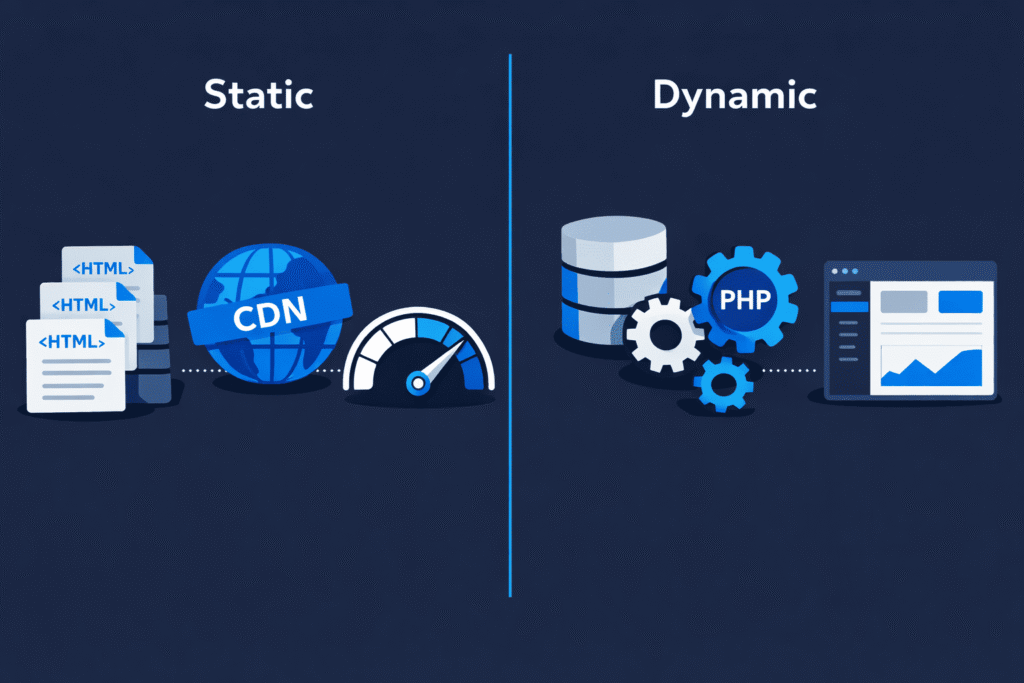
delivers the same pre-built files to every visitor. The HTML, CSS, and JavaScript are generated in advance and served directly from a server or CDN. There is no database query at the moment of the visit. There is no server-side processing triggered by the request. The files exist, a visitor requests them, they are delivered. That is the entire transaction.
A dynamic website
builds the page at the moment of the request. When a visitor lands on a WordPress site, PHP runs on the server, queries a MySQL database, pulls together content, applies the active theme, processes any active plugins, and assembles the final HTML before sending it to the browser. Every page visit triggers this process unless caching is configured to intercept it.
Neither approach is inherently superior. They solve different problems. The mistake most people make is treating this as a quality comparison rather than a capability comparison — and that mistake has consequences.
Common Misconceptions That Lead to Costly Decisions
This is where a lot of projects go wrong before they even begin. The static vs dynamic conversation carries a set of assumptions that sound reasonable on the surface but fall apart under scrutiny.
Misconception 1: Static means outdated or limited.
Static sites have a reputation for being basic — simple HTML pages with no real capability. This is no longer accurate. Modern static site generators like Hugo, Eleventy, and Next.js in static mode produce sophisticated, fast, and feature-rich websites. A static site today can include complex navigation, search functionality, form handling via third-party services, and dynamic content pulled in via APIs at the browser level. The underlying architecture is static; the user experience does not have to feel that way.
Misconception 2: Dynamic means slow.
WordPress sites have a reputation for being heavy and slow. In many cases that reputation is earned — but it is not an inherent property of dynamic architecture. It is a consequence of poor configuration. A well-optimised WordPress site running a lightweight theme, a disciplined plugin stack, server-level caching, and a CDN in front of it can deliver page load times that rival static sites in real-world conditions. Slowness is an implementation problem, not an architectural one.
Misconception 3: Static is always cheaper.
Static hosting is cheap — sometimes free. But total cost of ownership is not just hosting. If your static site requires a developer every time content needs to be updated, the cost of that friction accumulates quickly. For businesses where non-technical team members need to manage content independently, the operational cost of a static site without a proper CMS layer can significantly outweigh the hosting savings.
Misconception 4: Dynamic sites are inherently less secure.
WordPress, specifically, has a complicated security reputation. The reality is that the vast majority of WordPress security incidents trace back to outdated plugins, weak credentials, or unmanaged hosting environments — not to WordPress itself being fundamentally insecure. A properly maintained WordPress installation with reputable plugins, strong authentication, and a managed hosting environment is a secure production platform. The architecture is not the vulnerability; neglect is.
Misconception 5: You have to choose one or the other.
Modern web architecture does not enforce a strict binary. This misconception costs people the most, because it frames the decision as all-or-nothing when the real answer is often selective. More on this shortly.
Where Static Websites Genuinely Win
Static sites have earned their reputation in specific contexts, and that reputation is legitimate.
Speed and performance out of the box.
Because there is no server-side processing at request time, static sites are fast by default. Files served from a CDN with edge locations close to the visitor means minimal latency. No database bottleneck. No PHP execution overhead. No plugin stack adding processing time. For content-heavy sites where performance is the primary concern, this is a meaningful structural advantage.
Security surface area is minimal.
A static site has no database to inject, no admin panel to brute force, no server-side application to exploit through a known vulnerability. The attack surface is dramatically smaller by nature.
Hosting cost is low.
Platforms like Netlify, Vercel, and Cloudflare Pages host static sites at no cost for most traffic levels. There is no server to maintain, no PHP version to manage, no database running in the background. Operational overhead is close to zero.
Business use cases where static excels:
- Marketing landing pages with a fixed message and a single conversion goal
- Portfolio sites for agencies, designers, or developers
- Product documentation and knowledge bases
- Event microsites with a defined lifespan
- Blogs or editorial sites with infrequent updates managed by a technical team
- Campaign pages that need to load fast on mobile with minimal infrastructure
Where Dynamic Websites Are the Only Sensible Choice
The limitations of static sites become apparent the moment the project requirements move beyond delivering identical content to every visitor.
Any site with user accounts needs dynamic infrastructure.
Login systems, personalised dashboards, order histories, saved preferences, member-only content — none of this is achievable with a purely static approach. The moment a site needs to recognise who is visiting and respond differently based on that, you are in dynamic territory.
eCommerce at any meaningful scale requires dynamic capability.
A product catalogue can be statically generated. But a shopping cart, real-time inventory checks, payment processing, order management, customer accounts, and discount logic all require server-side processing. WordPress with WooCommerce handles this through its dynamic architecture — every cart interaction, every checkout step, every order confirmation is processed server-side in real time.
Content that changes frequently demands dynamic management.
A static site must be rebuilt and redeployed every time content changes. For a blog updated twice a week by a developer, this is manageable. For a retail site where product descriptions, prices, and stock status change daily — or a news publication posting multiple articles per day — the rebuild cycle becomes an operational liability.
Non-technical editorial teams need dynamic CMS control.
WordPress is the dominant example of dynamic done right for this reason. A marketing manager updating a product page, a founder publishing a blog post, an operations team managing service listings — they do not need a developer present. That editorial independence has real business value that does not show up in a performance benchmark but absolutely shows up in operational costs and team efficiency.
Business use cases where dynamic excels:
- eCommerce stores of any meaningful size
- Membership and subscription platforms
- News, media, and content-heavy publications
- Directories, listing sites, and booking platforms
- SaaS marketing sites with gated content and user accounts
- Any site where the content team operates independently of the development team
- Multi-location or multi-language business websites with complex content structures
Performance vs Flexibility: The Real Trade-off
This is the tension at the centre of the decision, and it deserves to be stated plainly rather than glossed over.
Static architecture optimises for performance.
The trade-off is flexibility. Adding a new content type, introducing user-specific behaviour, or enabling a non-technical team to manage content often requires additional tooling — headless CMS layers, API integrations, build pipeline configuration — that reintroduces complexity and cost. The performance advantage is real, but it is not free.
Dynamic architecture optimises for flexibility.
The trade-off is that performance must be actively managed rather than assumed. An unconfigured WordPress installation with twenty plugins, a bloated theme, and shared hosting will be slow. A well-architected WordPress installation with disciplined plugin choices, a lightweight theme, server-level caching, and a CDN in front of it will be fast. The capability ceiling is higher, but reaching it requires intentional configuration.
Neither trade-off is wrong. The question is which constraint your project can better absorb. A business with a technical team that deploys regularly can manage the flexibility constraints of static architecture. A business with a non-technical content team and a need for editorial independence cannot — and should not be forced to.
The Hybrid Reality Nobody Talks About Enough
The binary framing of this debate has become increasingly misleading, because modern web architecture frequently blurs the line between the two approaches — and does so by design.
WordPress, traditionally fully dynamic, can be configured with aggressive full-page caching so that most visitors receive pre-rendered HTML that behaves identically to a static file. WP Rocket, LiteSpeed Cache, or server-level page caching means the dynamic processing happens once, the output is cached, and subsequent visitors never trigger a PHP execution or database query. This delivers much of the performance benefit of static delivery while preserving all the dynamic capability underneath when it is actually needed.
On the other side, frameworks like Next.js support static generation for some routes and server-side rendering for others within the same project. A product listing page can be statically generated at build time. The checkout flow can be fully dynamic. These are not competing modes — they are tools applied selectively based on what each part of the site actually needs.
Understanding the hybrid reality changes the decision from a binary choice into an architectural question: which parts of this site need to be dynamic, and which do not? That is a more productive question, and it leads to better-built websites.
How to Actually Make the Decision
Strip away technical preference and centre the decision on three practical questions:
Does the site need to respond differently to different users?
If yes — accounts, personalisation, cart state, user-generated content — you need dynamic capability. This is non-negotiable regardless of architectural preference.
How often will content change, and who will change it?
If content changes regularly and non-technical team members will be making those changes, a dynamic CMS like WordPress is the operationally correct choice. If content is stable and all updates go through a developer anyway, static is worth serious consideration.
What are the long-term maintenance expectations?
Static sites are low maintenance but operationally rigid. Dynamic sites are flexible but require ongoing attention — updates, security patches, hosting management, and occasional debugging. Neither is free. The question is which type of ongoing responsibility fits your team, your budget, and your capacity better.
The Honest Answer
For the majority of small to medium business websites — service businesses, eCommerce stores, content-driven sites, directories, booking platforms — WordPress remains the most practical dynamic choice. Not because it is technically superior in every dimension, but because it balances capability, editorial flexibility, ecosystem maturity, hosting accessibility, and developer availability in a way that genuinely serves real-world business operations.
Static sites are the right choice when the requirements are genuinely simple, the content is stable, and the team managing deployments is technically comfortable with the workflow. They are the wrong choice when they are selected because they sound modern or technically sophisticated, rather than because they actually fit what the project needs to do.
The technology should follow the decision. The decision should follow the business.
That is the only framework that actually holds up over time.
What’s Next in This Series: Smart Web Decisions
This article is part of an ongoing series published every Monday and Thursday, focused on helping businesses, founders, and website owners make smarter web decisions before problems become expensive.
Many website issues begin long before development starts — during planning, hiring, budgeting, hosting decisions, or unclear project expectations. That’s why this series focuses on the practical side of web development decisions, not just the technical side.
In the coming articles, we’ll cover topics like:
- Questions to ask before starting an eCommerce website project
- Smart hiring decisions for small vs large business websites
- Domain and hosting mistakes that create long-term problems
- Why some websites become difficult to maintain and scale
- Common client mistakes developers notice immediately
- Website planning decisions that affect future performance and stability
The goal is simple: to help you approach web development with more clarity, better planning, and fewer costly mistakes. Whether you’re hiring a developer, managing a WordPress site, or planning a long-term digital project, each article in this series is designed to be practical, experience-driven, and easy to apply in real-world situations.
References & Further Reading
For deeper reading on the ideas covered in this article, these resources are worth your time:
- Cloudflare on Static vs Dynamic Content Delivery
- Netlify on What Is a Static Site Generator
- WordPress.org on Why WordPress Powers 40% of the Web
- WP Rocket on Full Page Caching in WordPress
- Smashing Magazine on Choosing Between Static and Dynamic Websites
- Next.js Docs on Static Generation vs Server-Side Rendering
- Kinsta on WordPress Performance Optimization